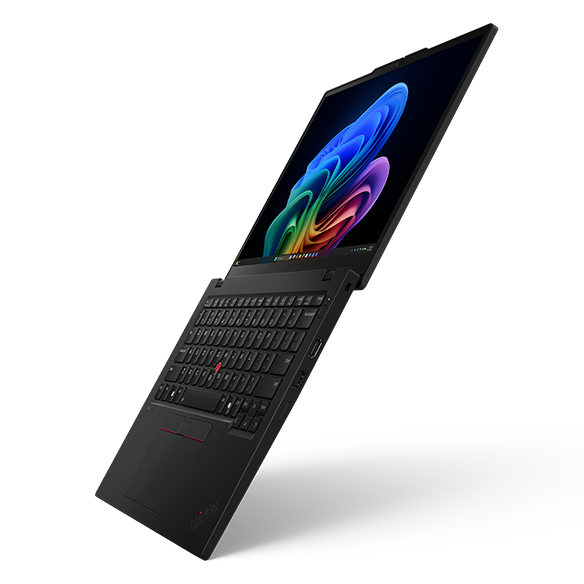
Lenovo has been pushing out new ThinkPads all year, and the latest one is small but interesting. The company just launched the ThinkPad L13 Gen 7 globally, a compact 13-inch business laptop now running Intel Lunar Lake chips. What makes this one worth a look isn’t a flashy redesign. It’s the chip swap, the battery claims, and where this lands in Lenovo’s value lineup. Here’s what’s new, how the Lunar Lake upgrade actually performs, and whether the battery numbers hold up in the real world.
What’s New in the ThinkPad L13 Gen 7
The headline change is the move to Intel Lunar Lake. Where last year’s ThinkPad L13 Gen 6 used Arrow Lake-U chips, the Gen 7 adopts the Lunar Lake platform with a choice of the Core Ultra 5 226V, 236V, or Core Ultra 7 256V and 266V.
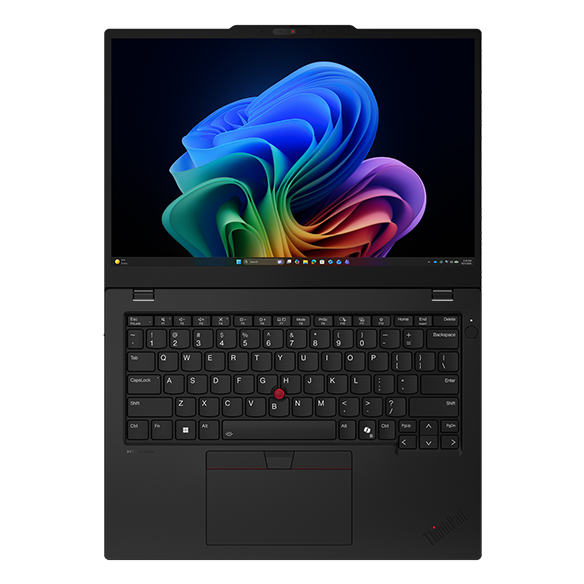
One thing to know about Lunar Lake: the memory is baked into the chip. So every model ships with 16 GB of RAM embedded in the processor itself. Storage runs on an M.2 2242 SSD, and you get a choice of a 41 Wh or 54.7 Wh battery depending on how much endurance you want.
The display options are all the same resolution. You pick from three IPS panels, each running at 1,920 x 1,200 with a 16:10 aspect ratio, 400 nits peak brightness, and a 60 Hz refresh rate. Nothing fancy there, but for a business machine it covers the basics.
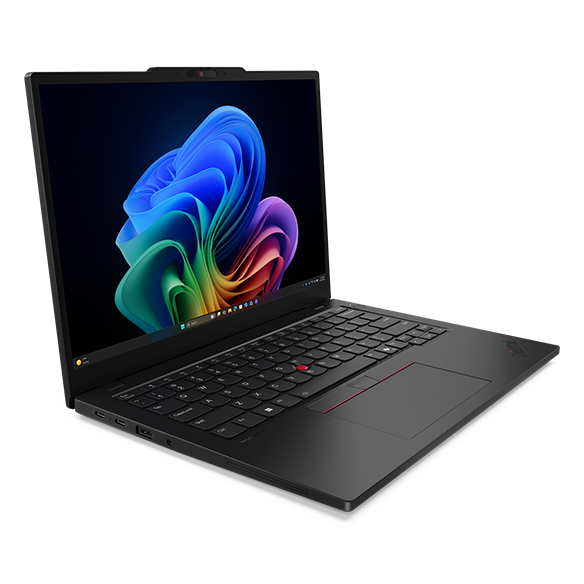
As for the build, the L13 Gen 7 measures 299 x 215 x 12 to 15.7 mm and weighs 1.21 kg. It’s not the lightest 13-inch laptop out there, but it’s compact and easy to carry as a daily driver.
How Much Faster Is the Lunar Lake Upgrade?
Here’s the part that surprised me a little. The CPU jump is smaller than you’d expect. Comparing the older Core Ultra 7 255U to the new Core Ultra 7 256V, Lenovo’s own benchmark reference points to only a modest CPU performance gain. So if you’re buying this purely for raw processing speed, the upgrade isn’t huge.
The graphics side is a different story. The Lunar Lake integrated GPU is a real step up, and Lenovo flags a massive graphics performance difference over the Arrow Lake-U chips. For a business laptop, that mostly shows up in smoother video work, light photo editing, and anything that leans on the GPU.
That tracks with what we know about Lunar Lake overall. Notebookcheck’s analysis put it plainly: multi-core performance is disappointing, but everyday efficiency is good. So this isn’t a brute-force chip. It’s tuned for standard tasks and battery life, not heavy multi-core workloads. For a 13-inch office machine, honestly, that’s the right call. You can dig deeper into how these chips stack up in our performance benchmarks.
Is the Battery Life Actually That Good?
Lenovo’s claims are big. The company says the L13 Gen 7 can hit over 23 hours of local video playback at 150 nits, or around 12 hours in the MobileMark 30 test. Those are the kind of numbers that make you raise an eyebrow.
Here’s the thing. Vendor battery claims are always best-case, usually measured in light scenarios like video loops at low brightness. Real usage with browser tabs, video calls, and brightness cranked up will come in lower. That’s just how these tests work.
That said, Lunar Lake has earned its efficiency reputation. In Tom’s Guide testing, a Core Ultra 7 258V laptop ran 17 hours 29 minutes in a battery rundown, compared to just 8 hours 25 minutes on the older Core Ultra 7 155H. That’s close to double the runtime from the previous generation. The 256V in this ThinkPad sits a tier below that chip, but the platform efficiency carries across the lineup.
So no, you probably won’t see 23 hours in real life. But the bigger 54.7 Wh battery paired with Lunar Lake should deliver genuinely strong all-day endurance, which is the whole point of a portable business laptop.
Who Is the ThinkPad L13 Gen 7 For?
The L series is Lenovo’s value business line, so this isn’t aimed at people chasing the thinnest or most premium ThinkPad. It’s built for everyday office work, students, and anyone who wants reliable battery life without paying flagship money. If you want more options in that lane, our best budget tech picks are worth a look.
There are tradeoffs to be fair about. The display tops out at 60 Hz, so no high refresh rate here. You’re stuck with IPS panels rather than OLED. And because the RAM is soldered into the chip, you can’t upgrade memory later, so pick the right config up front.
For the right buyer, though, none of that is a dealbreaker. It’s a compact, efficient, no-nonsense machine. You can see how it compares to other options in our Windows laptop reviews.
Final Thoughts
A few things stand out with the ThinkPad L13 Gen 7. The CPU upgrade is modest, but the GPU gains and the efficiency story are real. Lenovo’s battery claims are optimistic, but Lunar Lake’s track record means all-day endurance is believable. And as a value business laptop, it covers the essentials without trying to be something it isn’t.
Want more tech news and laptop launches like this? Drop us a comment below. It really helps us keep bringing you more.