
Boris FX Sapphire is a premium effects suite for professional video work. It adds cinematic effects, transitions, tracking, and custom design tools. However, its high price makes the buying decision important.
This Boris FX Sapphire review covers its features, pricing, supported apps, and system needs. It also explains the free trial and license choices. Therefore, you can decide whether Sapphire fits your workflow.
Quick Verdict
Boris FX Sapphire offers excellent effects, deep controls, and broad host support. Its presets can speed up editing and motion design. However, beginners may find the suite large and expensive.
The software suits working editors, motion designers, and visual effects artists. It also works well for studios using several host applications. Still, casual creators may get better value from smaller plugin packs.
Rating: 4.5 out of 5
Best for: Editors, motion designers, visual effects artists, and post production teams
Main strength: High quality effects with deep creative control
Main weakness: Premium pricing and a clear learning curve
What Is Boris FX Sapphire?
Boris FX Sapphire is a professional visual effects plugin suite. It works inside popular editing, compositing, and finishing applications. Therefore, you do not need a separate editing program.
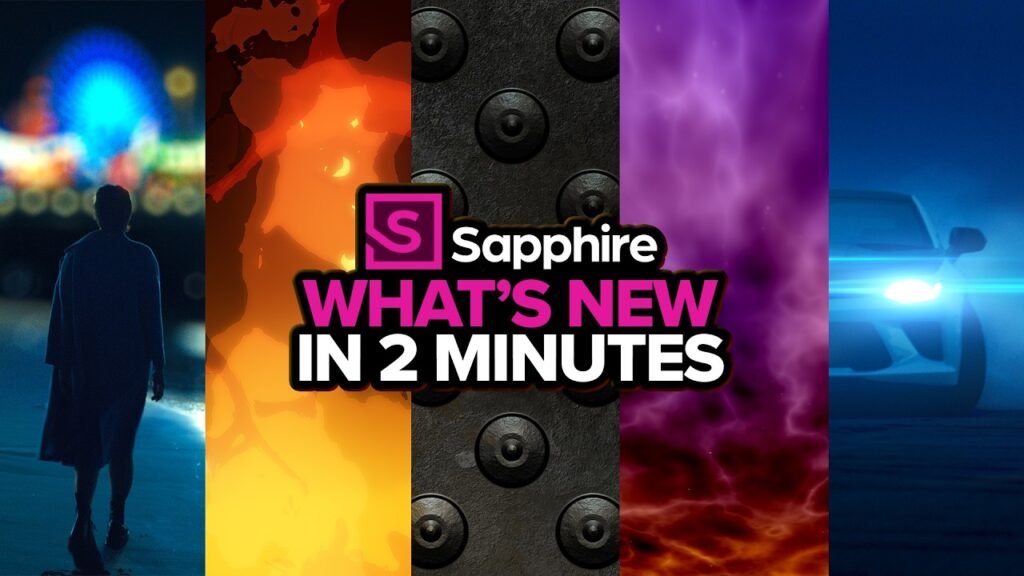
The current release is Boris FX Sapphire 2026.5. The suite includes more than 270 effects and transitions. It also includes more than 3,000 professionally designed presets.
Sapphire covers glows, lens flares, blurs, distortions, textures, and film looks. In addition, it offers transitions and time based effects. These tools support both subtle fixes and bold visual styles.
Sapphire also includes Mocha tracking and masking tools. As a result, users can attach effects to moving subjects. This feature reduces manual keyframe work in many shots.
What Is New in Boris FX Sapphire 2026.5?
Boris FX Sapphire 2026.5 adds new optical and texture tools. First, S_AdvancedDefocus creates detailed lens blur and bokeh effects. It can also add lens dirt, scratches, and color fringing.
Next, S_TextureRidges creates flowing procedural textures. Users can change speed, scale, frequency, and contrast. Therefore, the effect works well for backgrounds and abstract motion.
The updated S_Glare effect creates smoother light blooms and cleaner rays. It also offers richer color and more natural falloff. As a result, users can create polished highlights faster.
Boris FX also improved Effect Builder in this release. The updated interface makes layered effects easier to create. In addition, new Dots and Noise tools expand custom designs.
Core Boris FX Sapphire Features
More Than 270 Effects and Transitions
Boris FX Sapphire includes more than 270 effects and transitions. The library covers many common post production needs. Therefore, one suite can replace several smaller plugin packs.
Popular categories include lighting, blur, distortion, stylize, and compositing. Users also get texture generators and time effects. However, the large library takes time to learn.
More Than 3,000 Presets
The preset browser gives users more than 3,000 starting points. Each preset can be changed inside the host application. Therefore, presets save time without removing creative control.
This approach helps when a deadline feels tight. You can start with a polished look and adjust it. As a result, blank timeline pressure becomes easier to manage.
Lens Flares, Glows, and Lighting Effects
Lighting tools remain a major Boris FX Sapphire strength. The suite includes flares, glows, rays, glints, and light leaks. In addition, Flare Designer lets users create custom lens flares.
These effects can look natural or highly stylized. However, strong presets can become distracting when overused. Therefore, careful changes usually create better results.
Blur and Distortion Tools
Sapphire includes lens blur, motion blur, and distortion effects. It also provides camera shake and rack focus style tools. As a result, editors can shape motion and depth quickly.
S_AdvancedDefocus adds more realistic lens behavior. Users can adjust bokeh shape and optical flaws. Therefore, the effect offers more control than a basic blur.
Film Looks and Stylized Effects
The suite includes film damage, grain, glitches, and retro looks. It also offers halftone, cartoon, and edge based effects. Consequently, creators can test many styles inside one package.
Boris FX Sapphire works best when users customize these looks. Presets provide a useful base, but every shot differs. Therefore, small changes often produce more natural results.
Effect Builder and Transition Builder
Effect Builder combines several Sapphire tools into one custom effect. Transition Builder offers a similar system for transitions. As a result, users can save repeatable designs for later projects.
The node based view gives users deeper control. However, new users may need time to understand the workflow. Once learned, it can speed up complex work.
Mocha Tracking and Masking
Integrated Mocha tools add planar tracking and masking. These tools can follow surfaces, signs, screens, and other moving areas. Therefore, users can apply effects with less manual animation.
Mocha support adds real value for compositing work. Still, advanced tracking requires practice and clear footage. Users should expect better results after learning the basic process.
GPU Acceleration
Boris FX Sapphire uses GPU acceleration on supported systems. It supports Nvidia, AMD, and Apple Silicon graphics. However, exact performance depends on the host, effect, footage, and hardware.
The software can also render with the processor when needed. Still, heavy effects may render slowly without a capable GPU. Therefore, professional users should check current hardware guidance first.
Supported Apps
Boris FX Sapphire supports many major post production applications. However, each license covers a specific host group. Therefore, buyers should choose the correct license before purchase.
Supported applications include:
- Adobe After Effects
- Adobe Premiere Pro
- Adobe Photoshop
- Avid Media Composer
- Blackmagic DaVinci Resolve
- Blackmagic Fusion Studio
- Foundry Nuke
- Autodesk Flame
- VEGAS Pro
Resolve, Fusion Studio, Nuke, Flame, and VEGAS Pro use OFX support. Meanwhile, Avid Media Composer uses its own license option. Adobe and OFX users can share one license type.
Boris FX Sapphire runs on macOS, Windows, and Linux. However, host support varies by operating system. Therefore, check your exact host version before installing.
System Requirements
Boris FX lists macOS 10.15 or newer for Sapphire 2026. Windows users need Windows 10 or Windows 11. Linux support covers Red Hat Enterprise Linux 7 through 9.
Compatible Linux systems, including Rocky Linux, may also work. However, users should confirm current host support first. Each host can have different operating system limits.
Boris FX recommends a 64 bit Intel or AMD processor. The processor should have four or more cores. In addition, the system should have at least 8 GB of memory.
A fast SSD or disk array is also recommended. The display should support at least 1920 by 1080 resolution. However, complex projects often benefit from stronger hardware.
Sapphire supports Metal enabled graphics on macOS. It also supports suitable Nvidia graphics on Windows and Linux. Still, users should review the current GPU list before purchase.
Apple Silicon Macs receive native GPU support through Metal. Therefore, modern MacBook Pro systems can run supported effects efficiently. Actual speed still depends on footage and host settings.
Boris FX Sapphire Pricing
Boris FX Sapphire pricing depends on the selected host license. The listed prices below were available in June 2026. However, Boris FX may change them later.
Adobe and OFX License
The Adobe and OFX license costs $80 per month. It costs $545 per year or $1,865 for a perpetual license. This plan covers Adobe and supported OFX applications.
Avid License
The Avid license uses the same listed prices. It costs $80 monthly, $545 yearly, or $1,865 perpetual. However, this option covers Avid Media Composer only.
Multi Host License
The multi host license costs $144 per month. It costs $985 yearly or $3,075 perpetual. Therefore, this plan suits users working across Avid, Adobe, and OFX hosts.
Prices may change after this review is published. Therefore, confirm the latest price before buying. Also, make sure your chosen plan covers every required host.
Subscription or Perpetual License?
A subscription gives access while payments remain active. It may suit users who prefer a lower starting cost. In addition, active subscriptions include current updates.
A perpetual license keeps working after purchase. It also includes a 12 month Upgrade and Support Plan. However, future versions may require an active support plan.
The Upgrade and Support Plan includes eligible updates during its term. It also provides phone and email support during business hours. Therefore, studios may value its predictable update cycle.
For one host group, the yearly subscription offers a lower entry cost. In contrast, a perpetual license may suit long term use. Buyers should compare costs across several years.
Free Trial
Boris FX offers a free Sapphire trial. The trial includes all Sapphire features. However, trial output has a red X watermark and HD limits.
The trial gives users a practical way to test performance. It also helps confirm host support and workflow fit. Therefore, test your most demanding footage before buying.
Install the trial through the official Boris FX Hub. Then, select your host application during setup. Finally, open the host and find Sapphire inside its effects panel.
Ease of Use
Boris FX Sapphire balances quick presets with deep controls. Beginners can apply a preset within minutes. However, mastering every tool takes much longer.
The interface stays inside the supported host application. Therefore, users can keep working in a familiar timeline. Preset browsing also makes visual testing faster.
Still, effect names and controls may feel overwhelming. The best approach is to learn one category first. For example, start with glows, flares, or transitions.
Performance and Render Speed
Boris FX Sapphire can perform well on modern workstations. GPU acceleration helps with many effects and transitions. However, complex effect stacks can still increase render times.
Resolution, color depth, and noise tools can affect speed. Tracking, masks, and layered effects can also reduce performance. Therefore, preview short sections before processing a full timeline.
Users should also update supported graphics drivers. In addition, closing heavy background apps can free system resources. These steps will not fix every slowdown, but they can help.
Boris FX Sapphire Pros and Cons
Pros
- Large library with more than 270 effects and transitions
- More than 3,000 professional presets
- Strong lens flare, glow, blur, and stylize tools
- Integrated Mocha tracking and masking
- Wide support across professional host applications
- GPU support for Nvidia, AMD, and Apple Silicon
- Subscription and perpetual license choices
Cons
- High price for casual users
- Large library creates a learning curve
- Heavy effects can increase render time
- License choices can confuse first time buyers
- Trial output includes a watermark and HD limits
Boris FX Sapphire Versus Built In Effects
Most editing applications include basic effects and transitions. These built in tools work well for simple projects. Moreover, they add no extra software cost.
Boris FX Sapphire offers more styles and deeper controls. It also provides stronger flare, glow, and distortion options. Therefore, professionals can create complex looks faster.
However, built in tools may meet many basic needs. New creators should first test their current software. Then, they can decide whether Sapphire solves a real problem.
Boris FX Sapphire Versus Continuum
Boris FX Sapphire focuses strongly on cinematic effects and visual style. Its best known tools include glows, flares, textures, and distortions. Therefore, it suits motion design and finishing work.
Boris FX Continuum covers broader editing and repair tasks. It includes tools for restoration, keying, titles, particles, and image fixes. However, the best choice depends on your daily projects.
Choose Sapphire for premium looks and custom effect design. In contrast, choose Continuum for broader editing tools. Some studios use both suites because their strengths differ.
Who Is Boris FX Sapphire For?
Boris FX Sapphire best suits professionals who use effects often. Motion designers can benefit from its presets and custom builders. Likewise, editors can use its transitions and lighting tools.
Visual effects artists may value Mocha tracking and masking. Colorists can also use textures, glows, and film looks. Therefore, the suite fits many finishing workflows.
Studios using several host applications may prefer multi host licensing. Freelancers should compare the annual price against expected project income. The suite makes sense when it saves paid production time.
Who Should Skip Boris FX Sapphire?
Casual editors may not need such a large plugin suite. Built in effects can cover many social videos and simple projects. Therefore, beginners should test those tools first.
Creators with older hardware should also test the trial carefully. Complex effects may slow weak systems. In addition, unsupported hosts or systems can create setup problems.
Users who need only one effect type may prefer a smaller product. For example, a basic transition pack may cost less. However, smaller packs rarely match Sapphire’s full range.
Is Boris FX Sapphire Worth It?
Boris FX Sapphire can justify its price for professional users. Its value comes from speed, quality, and creative range. Therefore, frequent use can make the cost worthwhile.
The presets offer quick results, while advanced controls support custom work. In addition, broad host support helps teams using mixed software. Still, occasional users may struggle to recover the purchase cost.
The free trial remains the safest first step. Test your host, hardware, and common project files. Then, compare the saved time against the license price.
Frequently Asked Questions
Does Boris FX Sapphire work with Premiere Pro?
Yes, Boris FX Sapphire supports Adobe Premiere Pro. The Adobe and OFX license covers Premiere Pro and supported OFX hosts. However, check your exact Premiere Pro version before installing.
Can I buy Boris FX Sapphire once?
Yes, Boris FX offers perpetual Sapphire licenses. A perpetual license keeps working after the support plan ends. However, future upgrades may require renewed support or another purchase.
Is Boris FX Sapphire good for beginners?
Beginners can use presets without deep technical knowledge. However, the full suite has a clear learning curve. Therefore, new users should begin with a few effect categories.
Conclusion
Boris FX Sapphire remains a strong premium suite for professional visual effects. It combines a large effect library with presets, tracking, and custom builders. Moreover, it supports many leading post production applications.
However, the high price will not suit every creator. Professionals who use effects often can gain the most value. Therefore, test the official trial before choosing a license.
7 Responses
Your words are powerful and have the ability to make a real difference in people’s lives Keep using your voice to spread positivity and knowledge
Thanks it actually means alot!!
I just like the valuable information you provide for your articles.
I will bookmark your weblog and test again right here regularly.
I am quite certain I’ll learn lots of new stuff proper here!
Best of luck for the next!
Good info. Lucky me I found your blog by accident (stumbleupon).
I have saved it for later!
I am extremely impressed together with your writing skills as neatly as with the format on your blog.
Is that this a paid theme or did you modify it yourself? Anyway stay up the excellent high quality writing, it is uncommon to look a nice blog like this one
today..
I’ll right away grab your rss feed as I can not find your
email subscription hyperlink or newsletter service.
Do you’ve any? Please let me realize so that
I may just subscribe. Thanks.