
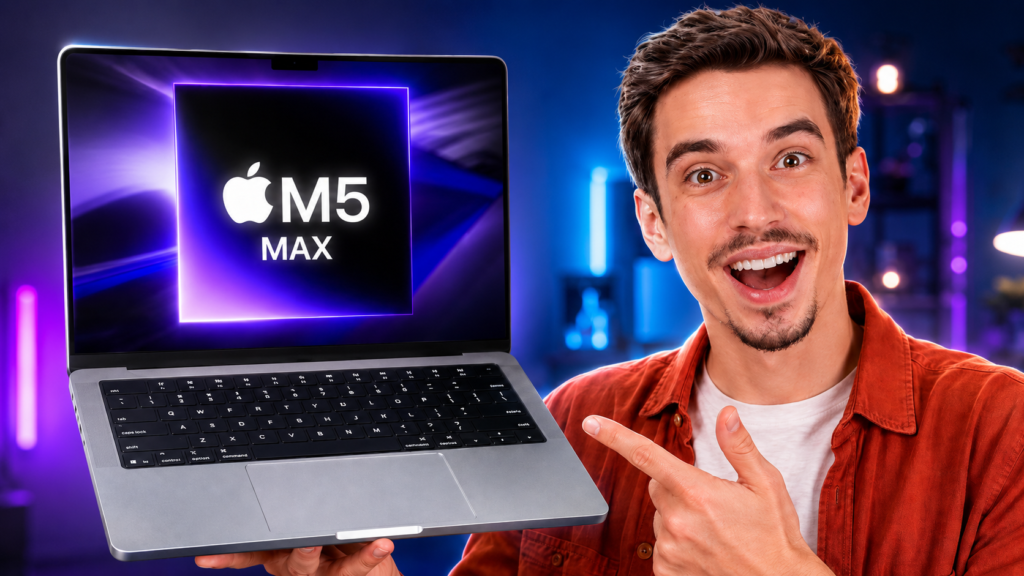
A clear 2026 review of speed, battery life, heat, AI, video work, price, and value.
The MacBook Pro M5 Max is not built for normal work. It targets jobs that can crush weaker laptops. Think 8K video, large AI models, 3D scenes, and huge code builds.
However, raw speed alone does not make a smart buy. The 16-inch model starts at $3,899 in the United States. So, this review asks a harder question. Does M5 Max save enough time to earn that price?
This MacBook Pro M5 Max review covers the 16-inch model. Apple also sells a smaller 14-inch version. Both sizes offer the same main chip choices. Still, the larger screen suits long work sessions.
MacBook Pro M5 Max Review: Quick Verdict
| The short answer The MacBook Pro M5 Max is a true mobile workstation. It offers huge GPU power, fast shared memory, and strong battery life. However, M5 Pro remains the smarter choice for most buyers. |
| Buy it if | Skip it if |
| Faster exports or renders help you earn more.You run large AI models on the laptop.You edit complex 4K or 8K projects.You need up to four external screens.You want desktop power in one portable setup. | M5 Pro already handles your work.You mainly browse, write, or edit light media.You want a thin travel laptop.You rarely use heavy GPU tasks.A desktop suits your desk and budget. |
MacBook Pro M5 Max Specs at a Glance
| Specification | Details |
| Model reviewed | 16-inch MacBook Pro M5 Max, 2026 |
| CPU | 18-core CPU with 6 super cores and 12 performance cores |
| GPU | 32-core or 40-core GPU |
| Memory bandwidth | 460GB/s or 614GB/s |
| Unified memory | 36GB; up to 128GB with the 40-core GPU |
| Storage | 2TB SSD; configurable to 4TB or 8TB |
| Display | 16.2-inch Liquid Retina XDR, 3456 by 2234 |
| Refresh rate | ProMotion up to 120Hz |
| Battery rating | Up to 22 hours video; up to 16 hours web |
| Ports | 3 Thunderbolt 5, HDMI, SDXC, MagSafe 3, headphone jack |
| Wireless | Wi-Fi 7, Bluetooth 6, Thread |
| US starting price | $3,899 for the 16-inch M5 Max |
Design and Build: Familiar, Heavy, and Serious
Apple keeps the same strong MacBook Pro shape. The aluminum body feels firm and dense. Also, the flat sides give it a clean look.
The 16-inch M5 Max weighs about 4.7 pounds. Therefore, it feels heavy beside a MacBook Air. Still, that weight fits this screen and cooling system.
Apple offers Space Black and Silver. Space Black looks sharp, but it can show marks. By contrast, Silver hides wear better.
The body has changed very little since 2021. However, that is not a major flaw. The design still feels balanced and well made.
Display: Still One of the Best Laptop Screens
The 16.2-inch Liquid Retina XDR screen remains a key strength. It uses a 3456 by 2234 resolution. Text looks sharp, while photos show fine detail.
The panel shows one billion colors and supports P3 color. Therefore, it suits photo, video, and design work. True Tone can also match the room light.
Peak HDR brightness reaches 1,600 nits. Full-screen HDR brightness holds at 1,000 nits. Also, outdoor SDR brightness can reach 1,000 nits.
ProMotion changes the refresh rate up to 120Hz. As a result, scrolling and timeline work feel smooth. Fixed rates also help editors match common frame rates.
Apple also offers a nano-texture screen. It cuts glare in bright rooms. However, the glossy screen looks cleaner under controlled light.
Keyboard, Trackpad, Camera, and Speakers
The Magic Keyboard feels steady and easy to learn. Its full-height function keys make shortcuts simple. Also, Touch ID handles logins very fast.
The Force Touch trackpad stays large and exact. Therefore, many users can skip a mouse. Still, editors may want a mouse or drawing pad.
Apple includes a 12MP Center Stage camera. It supports Desk View and 1080p recording. As a result, calls look sharper than older MacBook Pro calls.
The six-speaker system sounds wide and full. Also, the three-mic set records clear speech. These parts help during trips and client calls.
M5 Max Performance: The Main Reason to Buy
The M5 Max uses an 18-core CPU. Apple pairs it with up to a 40-core GPU. However, the memory system creates the larger gain.
The top chip gives 614GB/s of memory bandwidth. That speed helps large models and complex media jobs. It also limits slow data moves inside the chip.
The chip has two video encode engines. It also has two ProRes encode and decode engines. Therefore, it can handle several video streams at once.
Apple also added Neural Accelerators to each GPU core. As a result, AI tools can use far more graphics power. This change helps local models and smart media apps.
CPU Work: Fast, but Not the Whole Story
The CPU has six super cores and twelve performance cores. It targets big builds, tests, and data work. However, the top M5 Pro uses the same core count.
Therefore, CPU-only buyers should compare both chips. M5 Max earns its price through GPU speed and memory bandwidth. It does not only sell a faster CPU.
Large code builds should still finish very fast. Data tools also gain from quick memory access. Yet many coding jobs will run well on M5 Pro.
GPU Work: Where M5 Max Pulls Away
The 40-core GPU targets 3D work, effects, and large media jobs. It also supports hardware ray tracing. Therefore, it can speed supported render tools and games.
Apple claims large gains over M4 Max in selected tests. Those tests include AI images, video effects, and local language models. However, each app will show different gains.
This point should guide your choice. M5 Max makes sense when GPU speed saves paid work time. Otherwise, M5 Pro offers better value.
Video Editing and Motion Work
M5 Max suits editors who use many effects and video streams. Its media engines handle H.264, HEVC, ProRes, and ProRes RAW. The chip also decodes AV1 video.
Therefore, Final Cut Pro and DaVinci Resolve gain strong hardware help. Large projects should feel smooth with enough memory and storage. Still, some plugins can slow any system.
The 2TB base SSD also helps large media jobs. Apple says the new drive can reach 14.5GB/s. However, big projects may still need external drives.
Thunderbolt 5 supports fast docks and storage. As a result, editors can build a strong desk setup. The SDXC slot also speeds camera imports.
Local AI and Large Models
M5 Max looks strongest when local AI needs lots of memory. Shared memory lets the CPU and GPU use one pool. Therefore, a 128GB model can hold larger tasks.
The 614GB/s bandwidth also moves model data fast. Apple claims large prompt gains over M4 Max. Still, model size and app support will shape real speed.
Most buyers do not need 128GB. However, AI teams and researchers may use it well. They should also plan storage before ordering.
Large model files can fill a 2TB drive fast. Therefore, 4TB may offer a better balance. The 8TB option fits rare and costly jobs.
Thermals and Noise: Power Needs Air
The 16-inch body gives the cooling system more space. Fans move heat away during long jobs. Therefore, speed can stay steady for longer.
However, no laptop stays silent under every hard load. Long renders can raise fan noise and surface heat. Even so, the larger body should handle heat well.
M5 Max also uses more power than M5 Pro. As a result, its battery rating drops a little. Apple rates the Max below the Pro model.
The main gain is steady speed. A fanless MacBook Air cannot match that trait. Therefore, pro users should value cooling as much as peak scores.
Battery Life: Strong for This Power Level
Apple rates the 16-inch M5 Max for 22 hours of video streaming. It also claims 16 hours of wireless web use. Those results come from set test rules.
Real work will cut those numbers. For example, 3D renders and AI tools use far more power. Still, the 100Wh battery gives the laptop strong range.
Apple includes a 140W USB-C power adapter. MagSafe keeps one Thunderbolt port free. Also, fast charging works with a 140W USB PD source.
Heavy renders will not last all day on battery. However, light work should last much longer. That range adds real value during travel.
Ports and External Displays
The MacBook Pro M5 Max has three Thunderbolt 5 ports. Each port supports speeds up to 120Gb/s. Apple also includes HDMI, SDXC, MagSafe, and a headphone jack.
Therefore, many users can skip a large dock. The ports cover cameras, storage, audio, power, and screens. Still, Ethernet needs an adapter or dock.
M5 Max supports up to four external screens. Users can run four 6K screens at 60Hz. They can also run two 8K screens at 60Hz.
This support helps large edit and data setups. Meanwhile, Thunderbolt 5 allows fast one-cable desks. The built-in screen can stay active too.
Wi-Fi 7 and Bluetooth 6 use Apple’s N1 chip. Therefore, new networks can offer better speed and stable links. The laptop also supports Thread networking.
Price and Configurations
The 14-inch MacBook Pro M5 Max starts at $3,599. Meanwhile, the 16-inch model starts at $3,899. Both prices apply in the United States.
The standard M5 Max has 36GB of shared memory and 2TB storage. However, serious buyers may need more memory. The cost then climbs fast.
Choose 36GB for video work and medium 3D projects. Meanwhile, 48GB gives large projects more space. It also fits many local AI jobs.
Choose 64GB for heavy effects or larger AI models. Finally, 128GB targets advanced AI, tests, and huge production files.
The 40-core GPU unlocks the top memory choices. Therefore, buyers should plan memory before choosing the chip. Apple does not allow later memory upgrades.
Storage also cannot change after purchase. As a result, buyers should plan project size with care. External drives help, but internal storage stays simple.
M5 Max vs M5 Pro: Which One Should You Buy?
M5 Pro already offers an 18-core CPU and a 20-core GPU. It also gives 307GB/s of memory bandwidth. Therefore, it handles most pro work with ease.
M5 Max doubles the GPU core count in its top form. It also reaches 614GB/s memory bandwidth. As a result, it suits larger GPU and AI jobs.
Choose M5 Pro for coding, music, photos, and most video work. Choose M5 Max for complex 3D, hard effects, and large local models.
M5 Max also supports four external screens. M5 Pro supports up to three. However, most buyers will not need that extra screen.
Should You Upgrade to the MacBook Pro M5 Max?
M4 Max owners should wait unless one feature changes their work. The faster SSD or AI speed may help. Otherwise, M4 Max remains very fast.
M1 Max owners have a stronger reason to upgrade. They gain faster AI, new wireless tools, and better media speed. Battery life also stays strong.
Intel MacBook Pro users will see the largest jump. The new system runs cooler and lasts much longer. It also gives far more graphics power.
M5 Pro owners should not upgrade without a clear need. Instead, they should track slow tasks during real work. M5 Max only pays back when it removes those limits.
Frequently Asked Questions
Is the MacBook Pro M5 Max overkill?
Yes, for most people. It targets large GPU, AI, and media jobs. M5 Pro gives most pro users enough speed for less money.
How much memory should I buy?
Choose 36GB for normal pro work. Pick 48GB or 64GB for larger media and AI jobs. Reserve 128GB for rare tasks that need huge memory.
Is M5 Max good for video editing?
Yes. It has two video encode engines and two ProRes engines. It also supports large memory choices and fast Thunderbolt 5 storage.
Can M5 Max run local AI models?
Yes. Shared memory and high bandwidth suit local AI work. However, model size will decide the best memory choice.
Does the MacBook Pro M5 Max get hot?
It can warm up during long hard tasks. However, active cooling helps control heat. Fan noise may rise under extreme loads.
Is the 14-inch or 16-inch model better?
Choose 14 inches for easier travel. Choose 16 inches for more screen space and longer battery ratings. Heavy users may prefer the larger body.
Final Verdict: A Workstation for Jobs That Pay It Back
The MacBook Pro M5 Max is not a normal premium laptop. It is a mobile workstation for costly work. Therefore, its value depends on saved time.
The screen, ports, memory, and battery form a complete package. Meanwhile, the 40-core GPU gives AI and media work huge headroom.
However, M5 Pro remains the smarter pick for most pro users. The Max chip only wins when your work needs its GPU and bandwidth.
Buy it when faster work creates real value. Otherwise, save the money and choose M5 Pro. That choice feels less exciting, but it is often smarter.
Need a lighter and cheaper Mac? Read our MacBook Air M5 review for a more practical option.



One Response