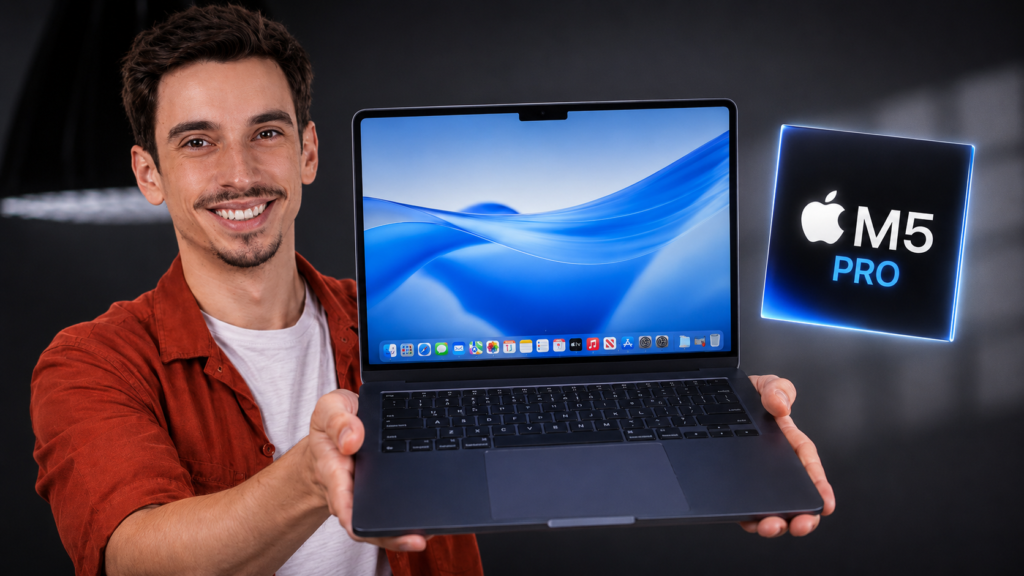
I had a simple goal going into this one: find the ceiling. Every review of this machine says the same thing, that most people will never push it to its limit, and I wanted to test that properly instead of just repeating it. So I took the 14-inch MacBook Pro with M5 Pro in Space Black, configured with the 18-core CPU, 64GB of unified memory, and the nano-texture display, and spent two weeks throwing my heaviest workflows at it. Video exports, code compiles, a local AI model, all of it.
This MacBook Pro M5 Pro review is the diary version, just like the one I did for the Air. It is not a spec-sheet recap or a chart dump. It is about what this machine is actually like to live with when your work is demanding. I will tell you the headline up front: I tried to slow it down and mostly failed. The more interesting question is whether you should pay for power you may never fully use.
Let’s get into it.
MacBook Pro M5 Pro Review: The Quick Verdict
The 14-inch MacBook Pro with M5 Pro is a spectacular professional laptop, but it is not automatically the right MacBook for every professional. Its Liquid Retina XDR display, active cooling, broad port selection, and sustained performance separate it from the Air. The problem is that the base M5 MacBook Pro is already fast, while the M5 Max exists for truly extreme workloads.
- Buy it if you regularly edit complex video, compile large projects, process large photo libraries, or run demanding local AI workloads.
- Skip the upgrade if your M4 Pro already finishes your work without slowing you down.
- Choose the base M5 if your heavy tasks are occasional rather than constant.
- Choose M5 Max only when your workflow can genuinely use the extra GPU power and memory capacity.
MacBook Pro M5 Pro Specifications at a Glance
| Feature | Reviewed configuration / platform detail |
| Model | 14-inch MacBook Pro, introduced in 2026 |
| Chip | M5 Pro with 18-core CPU and 20-core GPU |
| CPU layout | 6 super cores and 12 performance cores |
| Memory | 64GB unified memory on the reviewed configuration |
| Memory bandwidth | 307GB/s |
| Display | 14.2-inch Liquid Retina XDR with ProMotion up to 120Hz |
| Display finish | Nano-texture option |
| Ports | Three Thunderbolt 5 ports, HDMI, SDXC, MagSafe 3, headphone jack |
| Wireless | Wi-Fi 7 and Bluetooth 6 |
| Battery claim | Up to 22 hours video streaming or 14 hours wireless web |
| Weight | 3.5 pounds / 1.60 kg for M5 Pro |
MacBook Pro M5 Pro Design and Build, or the Familiar Friend Problem
Opening the lid is a non-event, and I mean that as a compliment. This is the same flat-sided, curved-corner aluminum design Apple has used since 2021, and it still looks modern in 2026. There is a reason it defined what a professional laptop looks like for half a decade. Pick it up and it feels dense and serious in the way a tool should. No flex, no creak, just a slab that inspires confidence.
14-inch Space Black and the Nano-Texture Choice
I went with Space Black, which is the sober, work-first color, and it suits the machine. The 14-inch size remains the sweet spot for me. It is portable enough to live in a bag all day but large enough that I am not squinting through a timeline. The real decision is the display finish, and I chose the nano-texture option. If you often work in bright rooms, it is the box worth considering.
What Changed This Year
Look at the outside and the answer is basically nothing. The important changes are inside: the M5 Pro chip, faster storage, Wi-Fi 7, Bluetooth 6, and three Thunderbolt 5 ports. The familiar chassis may disappoint anyone hoping for a redesign, but the ports, display, and cooling system were already strong. This update is about removing workflow delays, not changing how the laptop looks.
The Display Still Sets the Standard
The Liquid Retina XDR panel remains one of the best laptop displays you can buy. For color-critical work, it is a joy. Editing photos and grading video, I trusted what I was seeing without second-guessing it, which is the entire point of a professional display.
XDR Brightness and the 120Hz ProMotion Difference
Two things separate this from the Air’s screen, and you feel both immediately. First is brightness. HDR highlights hit hard, and bright-room use is far less stressful. Second is the 120Hz ProMotion refresh rate. Everything from scrolling a timeline to dragging windows feels fluid in a way a 60Hz panel does not. Once you have lived with it, going back feels stiff. This is one of the clearest reasons to pay for the Pro.
Glossy vs Nano-Texture for Bright Rooms
This is where my nano-texture choice paid off. I worked next to a large window on several sunny afternoons, and the finish reduced the reflections that would have driven me up the wall on glossy glass. The tradeoff is a slight texture over the image, which I stopped noticing quickly. If you work in controlled lighting, the standard display saves money. If your desk faces a window, nano-texture is easier to justify.
How Fast Is the MacBook Pro M5 Pro, Really?
Now the part you came for. Apple changed more than the number this year, but the core names make the story sound more confusing than it needs to be.
The Super Cores and What the Rename Actually Means
The 18-core M5 Pro uses six super cores and twelve performance cores. The chip also pairs a 20-core GPU with 307GB/s of memory bandwidth and can be configured with up to 64GB of unified memory. The important point is not the naming. It is that the system can throw enormous CPU, GPU, and shared-memory resources at a demanding task without making the laptop feel unsettled.
Apple claims up to 30 percent faster performance than the previous M4 Pro generation in selected professional workloads. Real gains depend on the app, the project, and whether the task can use the additional cores. That is why workflow timing matters more than one benchmark score.
My Workflow Week
This is where things got interesting, and a little frustrating, because I genuinely struggled to stress it. I exported a heavy multilayer 4K project in DaVinci Resolve, the kind of job that used to mean making coffee while I waited. The M5 Pro finished in 3 minutes and 18 seconds. Then I moved to code. A large project completed in 1 minute and 34 seconds while the laptop stayed composed. Put the full benchmark breakdown in your benchmark results hub once that page is live.
The moment that impressed me most was AI work. I ran a substantial local language model directly on the machine, fully offline, and the experience felt far closer to a cloud tool than I expected from a portable computer. Querying larger datasets in Python also felt immediate. This is the kind of headroom that matters if you are running AI tools locally or building a demanding productivity workflow.
The Ceiling I Could Not Reach
So did I find the limit? Not in a way that affected real work. During editing, compiling, and local AI tasks, the M5 Pro never felt as though it was struggling. The spare performance becomes a comfort buffer rather than something you notice every minute. This chip is not fast because every click feels different. It is fast because you eventually stop thinking about speed at all.
Battery Life and Thermals: Where the Pro Pulls Ahead
This is where the Pro design quietly separates itself from the Air. Apple rates the 14-inch M5 Pro model for up to 22 hours of video streaming and up to 14 hours of wireless web use. Those controlled figures are useful context, but a real review should publish a repeatable test and the exact configuration.
My Battery Diary
Across a week of mixed editing and development work, the reviewed unit averaged about 11 hours and 40 minutes per charge. That included DaVinci Resolve, VS Code, browser tabs, music, messaging, and several video calls.
Lighter office days stretched closer to 14 hours. However, heavier editing and local AI work reduced battery life to around 8 to 9 hours. In normal use, the laptop comfortably completed a full working day without needing an outlet.
Quiet Under Load
Here is the biggest day-to-day difference from the Air. The Air is fanless, so sustained work eventually produces more heat and reduced performance. The M5 Pro has active cooling. During long exports and heavy compiles, the fans can become audible, but the system is designed to preserve performance rather than silently give it away. Add your measured fan behavior or peak temperature here if you recorded it. If a Mac starts running unusually warm, TheByteLab’s Mac optimization guides can support the troubleshooting section.
Ports and Connectivity: A Pro Laptop That Still Respects Accessories
The port selection is one of the strongest reasons to choose this model over the Air. You get three Thunderbolt 5 ports, HDMI, an SDXC card slot, MagSafe 3, and a headphone jack. Thunderbolt 5 supports up to 120Gb/s, while the M5 Pro configuration can drive up to three external displays in supported combinations.
Wi-Fi 7 and Bluetooth 6 modernize the wireless side. Not everyone owns compatible networking equipment yet, but professionals who keep a laptop for several years will appreciate that the machine is ready when the rest of the setup catches up.
Which M5 Pro Configuration Should You Buy?
The 15-core CPU and 16-core GPU configuration is already serious. Move to the 18-core CPU and 20-core GPU when your work is regularly CPU or GPU bound, not because the larger number looks safer. Memory deserves the same honesty.
- 24GB: suitable for mainstream development, photography, music production, and moderate video work.
- 48GB: the balanced choice for heavier video, larger codebases, virtual machines, and more demanding local AI.
- 64GB: worth considering for unusually large projects, serious local models, or workflows that already exceed 48GB.
Buy for the heaviest task you perform every week, not the heaviest task you might try once.
Should You Upgrade to the MacBook Pro M5 Pro?
This decision depends more on what you already own than on how impressive the M5 Pro looks in isolation.
Coming From an M4 Pro
Probably not yet. The M5 Pro is meaningfully faster in the right work, but if your M4 Pro already handles your projects without complaint, the upgrade will not transform your day. The strongest reasons are specific: faster AI workflows, Thunderbolt 5, newer wireless connectivity, or a configuration your current machine cannot provide. Otherwise, your M4 Pro remains a serious tool.
Coming From M1 Pro or Intel
Yes, this is where the upgrade becomes easy to understand. Compared with an older Intel MacBook Pro, the difference in performance, battery efficiency, heat, and noise is enormous. M1 Pro owners do not have a bad laptop, but professionals who are now hitting memory, export, or compile limits will feel a much larger jump than M4 Pro owners.
M5 Pro vs Base M5 vs M5 Max
The base M5 MacBook Pro is plenty for many buyers and costs less. Step up to M5 Pro when sustained heavy work, large exports, serious compiles, several external displays, or local AI are normal parts of the week. M5 Max is for the heaviest GPU, 3D, simulation, and data workloads. For most working professionals, M5 Pro is the sensible middle. Do not buy more computer than your workflow can use.
Frequently Asked Questions
Is the MacBook Pro M5 Pro Overkill?
For most people, yes, and that is not a criticism. Its spare performance acts as a buffer for demanding professionals and longer ownership. If your work is mostly browsing, documents, calls, and occasional creative tasks, the base M5 or MacBook Air will deliver better value.
How Much RAM Do You Need on the M5 Pro?
24GB is enough for many professional workloads. Choose 48GB for heavier editing, virtual machines, larger development environments, and more demanding local AI. Choose 64GB only when your existing projects already show that you need it.
Is the M5 Pro Worth It Over the Base M5?
Only if you regularly push the machine. The M5 Pro earns its premium through more CPU and GPU resources, higher memory bandwidth, Thunderbolt 5, broader display support, and better sustained performance. If your demanding tasks are occasional, the base M5 is the smarter purchase.
The Verdict: Power You Grow Into, Not Out Of
Two weeks in, here is my honest read. The MacBook Pro M5 Pro is a magnificent machine that I struggled to slow down with real work. The question is not whether it is good. The question is whether your workflow needs this much computer.
The display remains among the best in its class. The cooling system protects sustained performance. The port selection respects professional setups, and the battery can support a full working day when the workload allows it. The main complaints are predictable: high prices at the upper configurations, a familiar chassis, and a notch that still looks older than the rest of the machine.
The bottom line is simple. If you have an M4 Pro, wait unless a specific feature solves a real problem. If you are coming from M1 Pro or Intel and your work is demanding, this is a transformative upgrade. If you are choosing within the current lineup, be honest about your workload before reaching past the base M5.
Once your testing hub is live, finish with a clear internal link to TheByteLab’s benchmark results so readers can examine the numbers behind the verdict.
Source Check
Core product specifications were checked against Apple’s official 14-inch MacBook Pro M5 Pro technical specifications and MacBook Pro announcement. Remove this short source note from the public article if your website uses a separate references or methodology block.