Same shell, faster chip, lower price. After real-world testing, here’s what actually changed and who it’s for.
The Quick Verdict
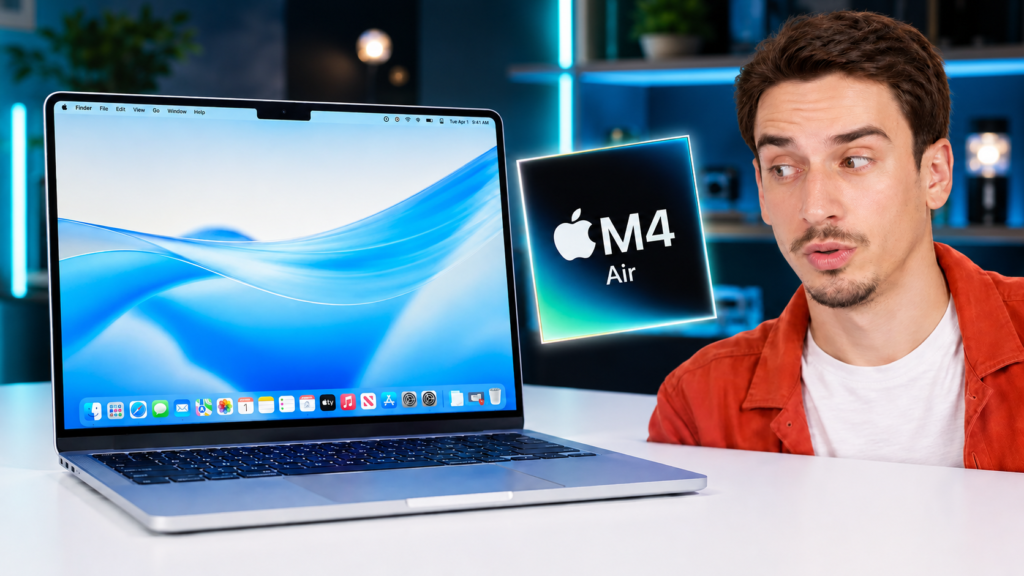
The MacBook Air M4 is the easiest laptop recommendation Apple has made in years. You get the new M4 chip, 16GB of RAM as the starting point, and a lower $999 price than the machine it replaces. Nothing about the design changed, and honestly, it didn’t need to. The 60Hz screen and the fanless throttling are the only real catches, and for most people, neither will get in the way.
Buy it if
- You’re coming from an M1, an Intel Mac, or Windows
- You want the best thin-and-light laptop under $1,000
- Your work is browsing, docs, code, photo edits, and light video
- Silent, all-day battery matters to you
Skip it if
- You already own an M3 Air
- You need a high-refresh or brighter display
- You do sustained 4K video or heavy 3D work
- You want ports beyond two Thunderbolt and MagSafe
| Spec | 13-inch | 15-inch |
|---|---|---|
| Chip | M4, 10-core CPU (4P + 6E) | M4, 10-core CPU (4P + 6E) |
| GPU | 8-core or 10-core | 10-core |
| Memory | 16GB base, up to 32GB | 16GB base, up to 32GB |
| Storage | 256GB to 2TB | 256GB to 2TB |
| Display | 13.6″ Liquid Retina, 60Hz, 500 nits | 15.3″ Liquid Retina, 60Hz, 500 nits |
| Camera | 12MP Center Stage | 12MP Center Stage |
| Weight | 2.7 lb (1.24 kg) | 3.3 lb (1.51 kg) |
| Cooling | Fanless | Fanless |
| Starting price | $999 | $1,199 |
Design and Build: Same Shell, and That’s Fine
If you’ve seen a MacBook Air in the last few years, you already know what this one looks like. It’s the same flat, uniform-thickness body Apple introduced with the M2, and none of the dimensions moved. That’s not a complaint. This is still one of the best thin-and-light laptops you can buy, full stop.
The Sky Blue Is Subtle, and the Screen Smudges Fast
There’s a new Sky Blue color this year, and it’s very understated. In some lighting it reads as a cool silver, and only really shows its blue tint at an angle. It’s a nice option if you’re bored of silver but don’t want something as dark as Midnight. Speaking of Midnight, the fingerprint problem is still here. The screen in particular is a smudge magnet, and you’ll be wiping it down more than you’d like.
Still One of the Best Bodies in the Business
At 2.7 pounds for the 13-inch and just 0.44 inches thick, this thing basically disappears in a bag. The keyboard is excellent, the trackpad is still the best in any laptop, and the build quality feels a tier above most Windows machines at this price. As reviewers have pointed out, the Air has become a default recommendation for a reason. Nothing here changes that.
The Display Is Good, but 60Hz Is the Catch
The screen is a Liquid Retina IPS panel, and it’s genuinely good for the price. It hits 500 nits, covers the P3 wide color range, and has True Tone to keep colors looking natural. For browsing, writing, editing photos, and watching video, it looks great.
Is the MacBook Air M4 Display Good Enough for Creative Work?
For photo editing and standard creative work, yes. The color accuracy and brightness are better than you’ll find on most laptops in this range. Where it starts to show its limits is the refresh rate. The panel is locked at 60Hz, and in 2025 that feels a little dated once you’ve used a smoother screen. Scrolling and animations just aren’t as fluid as they could be. It’s not a dealbreaker, but you notice it.
What You Give Up Versus the Pro
This is where Apple draws the line between the Air and the Pro. You don’t get ProMotion, so no high refresh rate. You don’t get the extra brightness of a mini-LED panel. And there’s no nano-texture glass option to cut glare, which would’ve been a nice add for anyone working near a window. If a top-tier display is your priority, that’s the reason to look at the Pro. For everyone else, this screen is more than fine.
MacBook Air M4 Performance in Real-World Use
The M4 chip is the real story here. It moves to a 10-core CPU with four performance cores and six efficiency cores, and it’s fast in a way that outpaces what most people buying an Air will ever ask of it.
How Fast Is the M4 Compared to the M3?
In raw numbers, the M4 posts a single-core Geekbench 6 score around 3,700 and a multi-core score close to 14,800, based on independent benchmark testing. That’s roughly a 20% single-core gain over the M3, with an even bigger jump in multi-core thanks to the two extra efficiency cores. What surprised us most is how close it lands to the more expensive M4 MacBook Pro in everyday CPU tasks. You’re getting near-Pro speed for a lot less money.
That said, the gap you feel day to day depends on where you’re coming from. If you already have an M3, the difference is marginal in real use. It’s when you jump from an M1 or an Intel Mac that the whole thing feels like a different class of machine. You can see how we run these comparisons in our performance and speed tests.
Is the MacBook Air M4 Good for Video Editing?
For light to moderate video work, it handles itself well. Timeline scrubbing is smooth, and short 4K exports are quick. The M4’s media engine does a lot of the heavy lifting, so editing 4K footage in Final Cut or Premiere is very doable.
Here’s the thing though. The Air is fanless, so it can’t sustain peak performance forever. On a long, continuous 4K export, it will throttle back to keep temperatures in check, and you’ll see it slow down compared to a Pro with active cooling. For occasional editing, that tradeoff is invisible. If video is your daily job and you’re running long renders back to back, the Pro is the better tool.
How Well Does It Handle AI and Local Models?
Better than you’d expect from a thin laptop. The M4’s Neural Engine and unified memory make it capable of running smaller AI models directly on the device. In testing, a quantized 3B parameter model generated text at around 48 tokens per second, which is genuinely usable for local inference. If you’re experimenting with running local AI tools, the 16GB base memory helps, and bumping to 32GB gives you more headroom for larger models.
Battery, Thermals, and the Fanless Tradeoff
This is where the Air has always shined, and the M4 keeps that going. The efficiency of the chip plus the fanless design means silent operation and a battery that lasts.
How Long Does the MacBook Air M4 Battery Actually Last?
Apple rates the Air for up to 15 to 18 hours depending on the task, but real-world numbers are what matter. In continuous web browsing tests, the Air lands in the 15 to 16 hour range. Under heavier mixed workloads, real-world testing puts it closer to 10 hours in balanced mode and around 12 in low-power mode. Either way, this is a laptop you can leave the charger at home for on most days.
What’s interesting is that battery life is roughly the same as the M3 Air, even with more cores. Apple keeps squeezing more efficiency out of macOS, so you get the extra performance without paying for it in battery. That’s the kind of quiet win that doesn’t make headlines but shows up every single day.
Does the MacBook Air M4 Overheat?
No. Because there’s no fan, there’s no fan noise, ever. It stays impressively cool under normal use, even sitting on your lap. Push it with a sustained heavy load and it will warm up and throttle, as covered above, but for the workloads this laptop is built for, thermals are a non-issue. If you ever want to keep an eye on performance under load, our Mac optimization guides cover how to monitor it.
Who Should Actually Buy the MacBook Air M4?
The short answer: most people. But the honest answer depends on what you’re upgrading from and how you spend.
Upgrading From M1 or M2 (Yes), M3 (Probably Not)
If you’re on an M1, an older Intel Mac, or coming over from Windows, this is an easy call. The performance jump is huge, the battery is better, and you get 16GB of RAM standard. For M2 owners, it’s a nice step up but not urgent unless you want the newer chip’s graphics features. For M3 owners, there’s very little reason to switch. The gains are real on paper but marginal in daily use, and your M3 Air is still an excellent machine.
How Much RAM and Storage Should You Get?
The 16GB base is finally a comfortable starting point, and for a lot of people it’s all they’ll need. If you run heavy multitasking, big creative apps, or local AI models, 32GB is worth the jump since you can’t upgrade memory later. Storage is the same story. The 256GB base fills up fast, so most people should step up to at least 512GB. Just know that Apple’s upgrade pricing is steep, so spec it right the first time. If value is the whole point of buying an Air, our best value picks can help you weigh the config.
The Bottom Line
The MacBook Air M4 doesn’t reinvent anything, and that’s exactly why it works. Apple took a laptop that was already great, dropped in a faster chip, doubled the base RAM, and lowered the price. The 60Hz screen and the fanless ceiling on sustained heavy work are the only real compromises, and both are easy to live with for the way most people actually use a laptop.
For students, freelancers, developers, and everyday professionals, this is the laptop to beat under $1,000. If you’re coming from anything older than an M3, you’ll feel the difference immediately. Want to see how it stacks up against the rest of the lineup? Check out our other MacBook reviews and benchmarks to find the right fit.