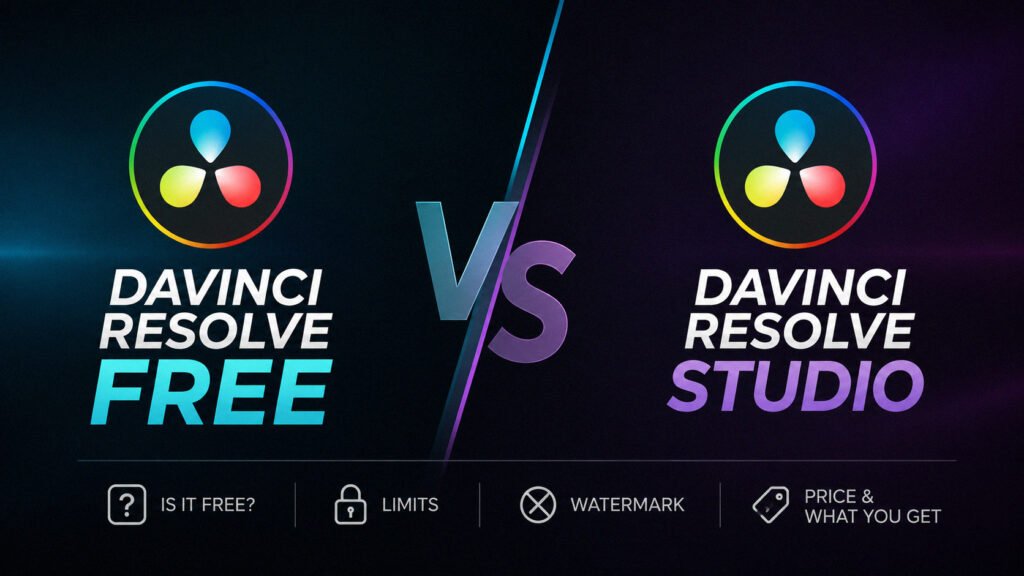
Yes, DaVinci Resolve is free. Blackmagic Design currently offers DaVinci Resolve 21 as a free download for Mac, Windows, and Linux, alongside the paid DaVinci Resolve Studio 21. The free version is not a short trial and it does not require a monthly subscription. It is a genuinely capable editor, color grading suite, VFX tool, and audio workstation, but there are limits around resolution, frame rate, some codecs, AI features, noise reduction, and selected Resolve FX.
For YouTube, freelance editing, short films, social content, or learning color grading, the free version is often enough. The important part is knowing where its limits begin.
Is DaVinci Resolve Free in 2026?
Yes. Blackmagic lists DaVinci Resolve 21 as free and DaVinci Resolve Studio 21 as the paid version. You can get the free edition from the official DaVinci Resolve product page.
This is not a seven-day or 30-day trial that suddenly locks your projects. The free edition is a separate version of Resolve with a large set of editing, color, Fusion visual effects, motion graphics, Fairlight audio, media management, and delivery tools.
Blackmagic also states that the free edition supports multi-user collaboration and HDR grading. That is unusually generous for free editing software, especially if you are learning Resolve before deciding whether Studio is worth paying for.
What Can You Actually Do With DaVinci Resolve Free?
For normal editing, the free version covers far more than basic cutting. You can build timelines, trim footage, add transitions and titles, grade footage on the Color page, create effects in Fusion, edit and mix audio in Fairlight, and export finished projects.
For most people starting with Resolve, there is enough here to complete real work rather than just test the interface.
- Edit long-form and short-form video projects.
- Use the Cut and Edit pages for timeline work.
- Color correct and grade footage with Resolve’s node-based tools.
- Create motion graphics and visual effects in Fusion.
- Edit, process, and mix audio with Fairlight.
- Use HDR grading tools supported by the free edition.
- Collaborate with other users on supported Resolve workflows.
- Export finished videos without a general free-version watermark.
What Are the Main DaVinci Resolve Free Limits?
The free edition is powerful, but it is not identical to Studio. Blackmagic says the free version works with virtually all 8-bit video formats at up to 60 fps in resolutions as high as Ultra HD 3840 x 2160.
DaVinci Resolve Studio expands that ceiling. Blackmagic lists Studio support for 10-bit video up to 120 fps and resolutions beyond 4K, along with additional GPU acceleration and professional features.
1. Resolution and frame-rate limits
If your normal delivery is 1080p or 4K UHD at 24, 25, 30, or 60 fps, the free version can fit very comfortably. The limitation becomes more important when you need higher-than-UHD delivery or higher frame-rate professional workflows.
2. More advanced 10-bit workflows are a Studio strength
Blackmagic specifically positions Studio with broader professional 10-bit support. This matters more when you are dealing with higher-end camera formats, demanding post-production pipelines, or footage that does not fit comfortably inside the free edition’s supported workflow.
3. Some AI tools are Studio-only
DaVinci Resolve Studio includes the DaVinci AI Neural Engine and additional AI-assisted features. Blackmagic currently highlights tools such as Magic Mask and AI noise-reduction features among the Studio advantages.
If your workflow depends heavily on AI-assisted masking, cleanup, advanced tracking, or other Studio-only automation, the upgrade starts making more sense.
4. Advanced noise reduction is restricted
Temporal and AI spatial noise reduction are major reasons some colorists and filmmakers buy Studio. If you regularly shoot in difficult low-light conditions, this can be more important than the resolution limit.
5. Studio includes additional Resolve FX
Some effects visible inside Resolve are reserved for Studio. This leads to one of the most common questions about the free version: the watermark.
Does DaVinci Resolve Have a Watermark?
Normal projects made with the free version do not receive a general DaVinci Resolve watermark just because you are using Resolve for free. You can edit and export with the tools available in the free edition without a permanent logo being placed over every video.
There is an important catch. Blackmagic’s official training material explains that Studio-only effects can display a watermark when they are used in the free version. In other words, seeing a watermark does not necessarily mean all free exports are watermarked. It can mean you have added an effect or feature that requires Studio.
If a watermark suddenly appears, check the effects applied to the affected clip or node. Look for a Studio-only Resolve FX or feature before assuming your entire project needs to be rebuilt.
How to avoid a Studio-effect watermark
- Find the clip or node where the watermark appears.
- Temporarily disable the most recently added Resolve FX.
- Check whether the effect is marked as a Studio feature.
- Remove or replace the Studio-only effect if you want to stay on the free version.
- Render a short test section before exporting the complete project.
Blackmagic’s official Resolve training guide documents this behavior for Studio-only effects.
How Much Is DaVinci Resolve?
The basic DaVinci Resolve price is $0. Blackmagic currently lists DaVinci Resolve 21 as free and DaVinci Resolve Studio 21 at $295 in the United States.
The Studio price can vary by region, taxes, exchange rates, and reseller. If you are shopping for Studio, check the current official price rather than relying on an old article or third-party marketplace listing.
There are also different licensing methods for Studio. If you decide to upgrade, our guide to DaVinci Resolve Studio dongle vs activation key explains which license type makes more sense for different workstations.
Is DaVinci Resolve Free on Mac and Windows?
Yes. Blackmagic offers DaVinci Resolve 21 for Mac, Windows, and Linux. The free edition is not restricted to one desktop operating system.
That makes it especially useful if you are learning Resolve on one platform and later move to another. The interface and core workflow remain familiar even when the hardware changes.
Compatibility is a different question from pricing, though. Resolve is a demanding creative application, particularly once you start using Fusion, heavy grades, high-resolution media, or complex effects. Before installing, check Blackmagic’s current requirements for your exact Resolve version and operating system.
Can You Use DaVinci Resolve for Free for Professional Work?
Yes, the free edition is capable of real client and professional work. There is no rule that says a paid project must be edited in Studio.
The better question is whether the free version supports the workflow you need. If you deliver standard 1080p or 4K UHD video, work within supported media formats, and do not depend on Studio-only effects, the free edition can go surprisingly far.
Studio becomes easier to justify when the limits start costing you time. Noise reduction, advanced AI tools, broader professional format support, higher frame rates, resolutions beyond 4K, and additional GPU capabilities can matter much more on demanding jobs.
For a detailed feature breakdown, see our DaVinci Resolve vs DaVinci Resolve Studio comparison.
How to Download DaVinci Resolve Free Safely
For a DaVinci Resolve free download, use Blackmagic Design’s own website. Avoid random software-download sites, modified installers, cracks, or unofficial packages. Creative applications have deep access to your media and system resources, so there is little reason to take that risk when the official version is already free.
- Open the official Blackmagic Design DaVinci Resolve page.
- Select the free DaVinci Resolve download rather than Studio.
- Choose the correct operating system.
- Follow the current download form and installation instructions.
- After installation, confirm you opened DaVinci Resolve rather than a Studio build that expects a paid license.
Blackmagic’s current official Resolve download page is the safest starting point.
Do You Have to Register to Download DaVinci Resolve?
You do not need to buy DaVinci Resolve Studio or start a paid subscription to download the free edition. Blackmagic’s download flow can request information as part of the download process, so follow the prompts shown on the official page.
The important distinction is that downloading Resolve Free does not require purchasing a Studio license. If a third-party site asks you to pay for the free installer, use Blackmagic’s official download page instead.
When Should You Upgrade to DaVinci Resolve Studio?
You do not need Studio simply because you are becoming a serious editor. Upgrade when you can identify a feature or limitation that affects your actual workflow.
- You need resolutions beyond the free edition’s UHD limit.
- You regularly work above 60 fps in a workflow that requires Studio support.
- You need Studio’s broader professional 10-bit capabilities.
- You rely on temporal or AI spatial noise reduction.
- You need Studio-only Resolve FX or AI features.
- You want additional GPU and professional post-production capabilities.
If none of those are slowing you down, there is no urgency. The free version remains one of the rare cases where a no-cost creative tool can take you from learning the basics to completing serious projects.
Frequently Asked Questions
Is DaVinci Resolve completely free?
DaVinci Resolve 21 has a genuine free edition. It is not the same as Studio, so some advanced features and capabilities are restricted, but you can keep using the free edition without buying the $295 Studio version.
Does DaVinci Resolve Free expire?
Blackmagic presents DaVinci Resolve as a free version, not a temporary trial. There is no normal trial countdown that forces you to buy Studio after a fixed number of days.
Does DaVinci Resolve Free export 4K?
Blackmagic says the free edition can edit and finish at resolutions up to Ultra HD 3840 x 2160 and up to 60 fps. If your workflow needs resolutions beyond 4K, Studio is the version Blackmagic positions for that use.
Does DaVinci Resolve Free add a watermark?
There is no general watermark added to normal free-version exports. However, Studio-only effects used inside the free edition can display a watermark, so check your applied effects if one appears.
Is DaVinci Resolve Studio free?
No. DaVinci Resolve Studio is the paid edition. Blackmagic currently lists DaVinci Resolve Studio 21 at $295 in the United States.
Conclusion: Is DaVinci Resolve Free Enough?
Yes, DaVinci Resolve is free, and for a lot of editors the free version is enough. You get a serious editing, color, VFX, and audio environment without a monthly subscription or a normal export watermark.
The limits become important when your projects demand higher resolutions, higher frame rates, advanced 10-bit workflows, Studio-only AI tools, professional noise reduction, or additional Resolve FX. Until you actually need those features, starting with Resolve Free makes a lot of sense.
Download it from Blackmagic, learn the workflow, and upgrade when a specific Studio feature solves a problem you are already having. That is a much better reason to spend $295 than upgrading simply because the paid version exists.