“The thing that scares me about 2026 is that nobody can tell I’m not real.”
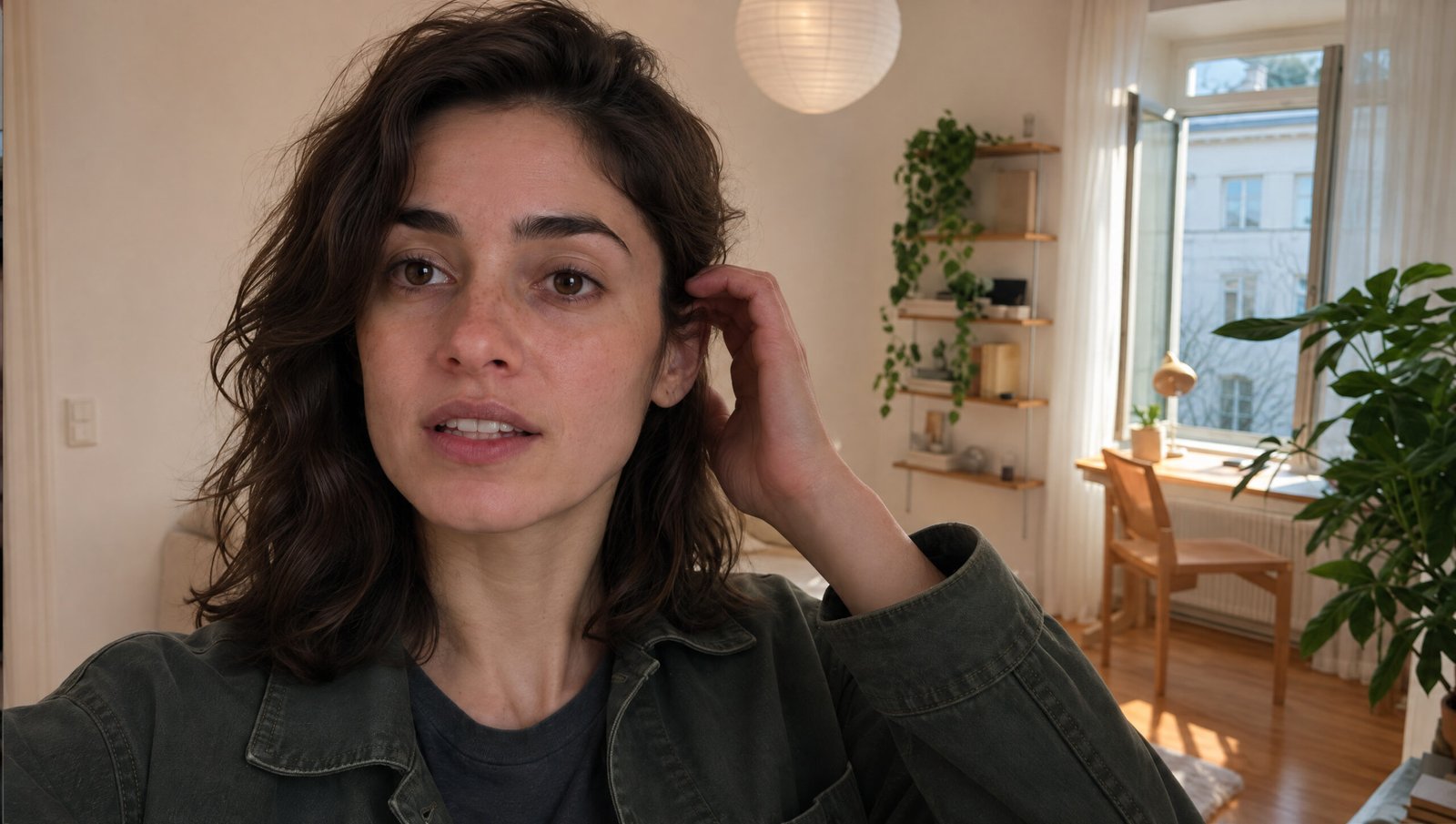
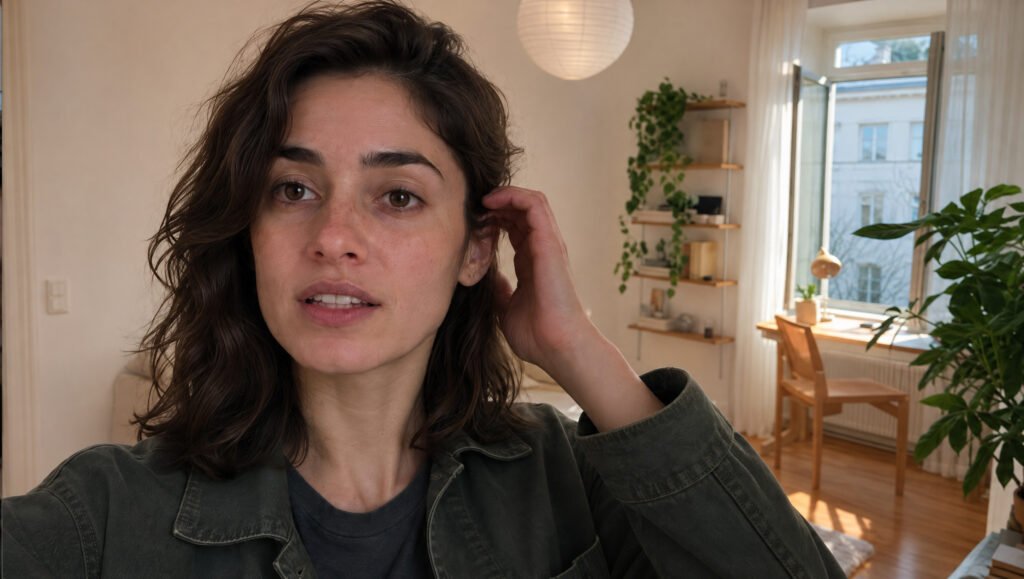
That’s what she says while casually walking through her apartment, recording herself like any other person making an Instagram vlog.
The strange part? She’s not real. Neither is the apartment. And none of this was filmed with a camera.
I created this realistic AI influencer vlog using Seedance 2.5 through Higgsfield AI, starting with a single AI-generated character.
What makes this interesting isn’t just how realistic her face looks. It’s the small details: natural walking movements, believable skin texture, sunlight changing across her face, and the way she casually interacts with clothing.
In this guide, I’m sharing the six prompts and complete workflow behind the video. You’ll learn how to create a consistent AI character, generate different facial angles, build an apartment environment, and turn everything into realistic AI videos.
Step 1: Create the Master AI Character
The first step is generating an original character using GPT Image 2.5 Sunburst.
I didn’t want a typical glossy AI influencer with flawless skin, perfect hair and commercial lighting.
Instead, I wanted someone who looked like a real actor photographed during a film casting session.
That means subtle facial imperfections, believable body proportions, natural clothing, and an expression that doesn’t feel artificially staged.
Master Character Prompt
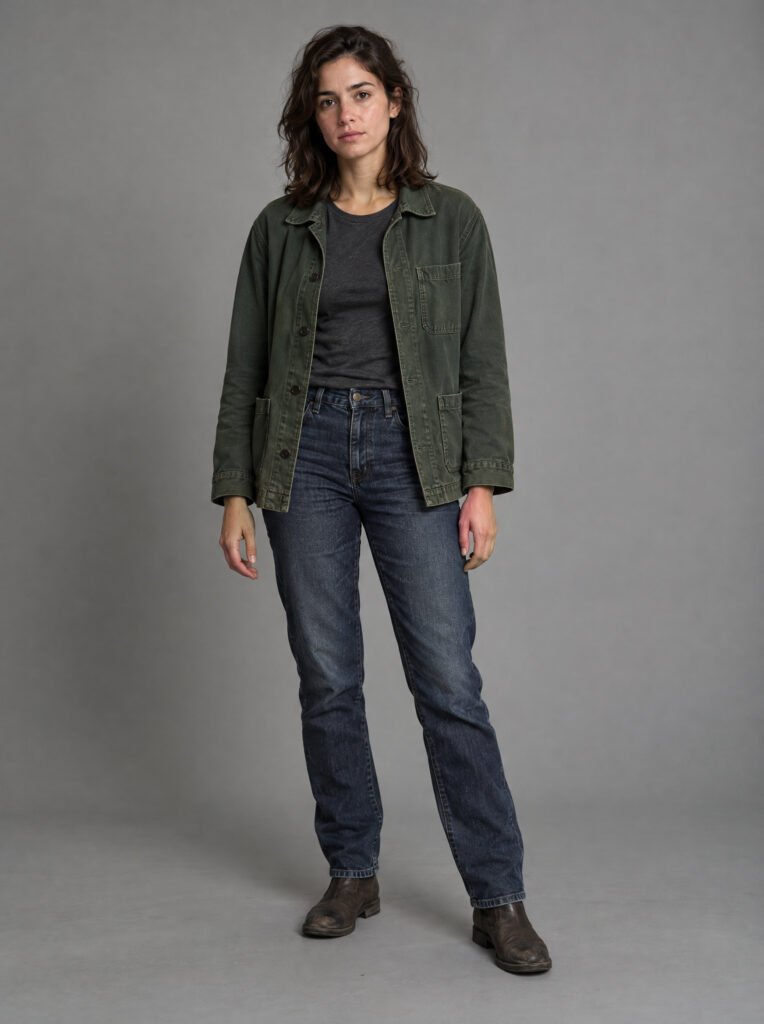
Use this prompt to generate the original character:
Create ONE original, photorealistic MASTER CHARACTER REFERENCE for a high-end contemporary live-action drama.
This is a professional casting and character-design reference photograph, NOT a selfie, fashion editorial, influencer photo, or lifestyle advertisement.
Character identity: An original 27-year-old woman, approximately 168 cm tall, naturally proportioned, lean but not overly slender, with realistic shoulder width, relaxed posture and subtle bodily asymmetry.
Face: Softly angular oval face, slightly prominent cheekbones, gently asymmetrical jaw, naturally shaped nose with a subtle irregularity along the bridge, expressive deep hazel-brown eyes, naturally thick uneven brows and softly defined lips.
Light olive-beige skin with warm undertones, delicate freckles, mild under-eye shadows, subtle discoloration, fine pores, natural lip lines and barely visible facial peach fuzz.
Hair: Dark chestnut-brown shoulder-length hair with uneven layers, slightly wavy natural texture, loose strands and realistic hair density. No salon styling or excessive volume.
Wardrobe: A faded forest-green cotton chore jacket, washed charcoal-grey crew-neck T-shirt, high-waisted dark indigo straight-leg jeans and worn dark-brown leather ankle boots. Small silver stud earrings.
Body language: Natural standing posture, weight slightly more on the left leg, relaxed shoulders and arms, neutral but emotionally present expression.
Camera: Full-body 3:4 vertical composition, natural 50mm perspective, camera at lower chest height. Complete head, hands, legs and feet visible.
Environment: Seamless neutral grey studio background with soft diffused lighting and natural contact shadows.
Realism: Unretouched high-resolution photograph, authentic skin microtexture, realistic cotton and denim, plausible anatomy and natural clothing fit.
No beauty filters, exaggerated symmetry, cinematic haze, artificial bokeh, glamour retouching, smartphone, selfie angle, extra people, text or multiple panels.
The final result should look like a professional film casting photograph.
Step 2: Generate a Six-Angle Facial Identity Sheet
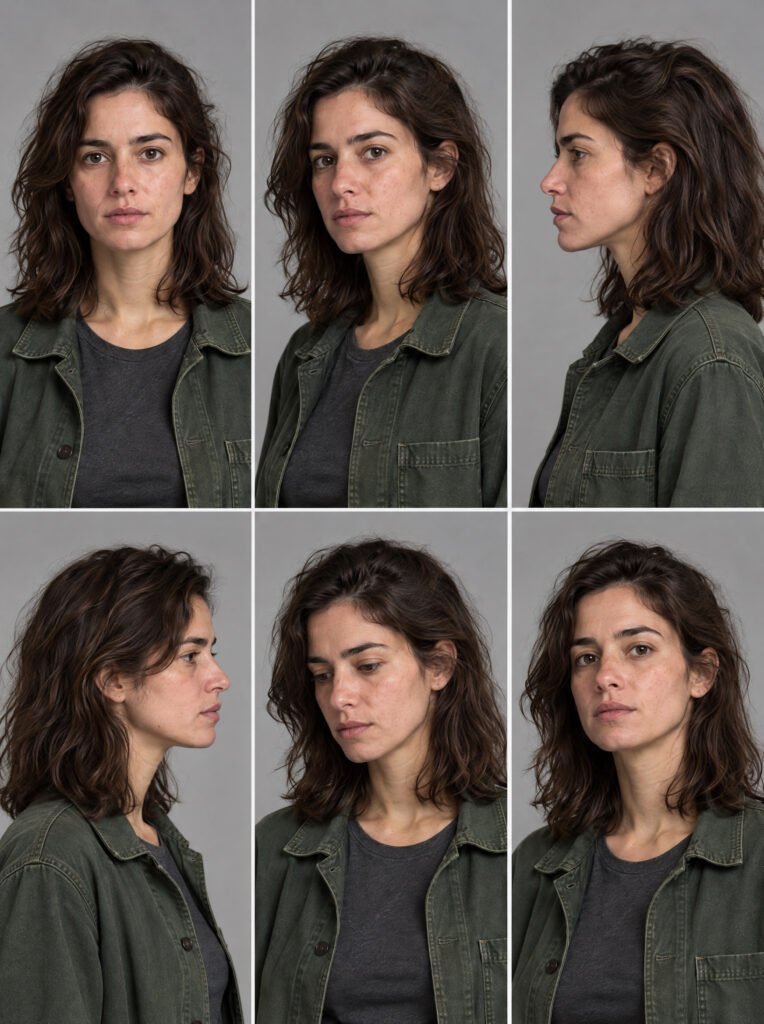
Now that we have our main character, we need to make sure she stays recognizable when the camera moves.
One portrait doesn’t tell an AI video model everything about a person’s face.
You might have a convincing front view, but the nose, jawline or eye shape can change when the character turns sideways.
This is why I created a six-panel identity sheet.
Six-Panel Character Prompt
Use the master character image as your reference.
Create a photorealistic six-panel facial identity sheet of the EXACT same woman from the attached master character image.
The attached image is the authoritative identity reference. Preserve her exact facial identity without redesigning, beautifying or stylizing her.
Layout: Six equal panels arranged in two rows of three on a seamless light-grey background.
Top row:
- Front view, looking directly at camera
- Three-quarter left view
- Full left profile
Bottom row:
4. Full right profile
5. Three-quarter view looking slightly downward
6. Three-quarter/front view with chin gently raised
Preserve the same age, face shape, asymmetry, dark hazel-brown eyes, brows, nose bridge, lips, jawline, light olive-beige complexion, freckles, under-eye texture and shoulder-length chestnut-brown hair.
Keep the charcoal T-shirt and forest-green jacket visible from the chest upward.
Use soft, even studio lighting, consistent portrait framing, realistic skin pores and believable hair strands.
No glamour makeup, changing hairstyles, beauty retouching, dramatic lighting, text, labels or additional people.
The result should look like a professional facial identity reference for film production.
Why This Matters
The purpose isn’t to make six beautiful portraits.
It’s to establish one consistent identity.
When the video model sees her face from multiple angles, it has a clearer visual reference for maintaining recognizable features throughout movement.
It doesn’t guarantee perfect consistency, but it provides much more useful information than a single portrait.
Step 3: Build a Three-Panel Character Sheet
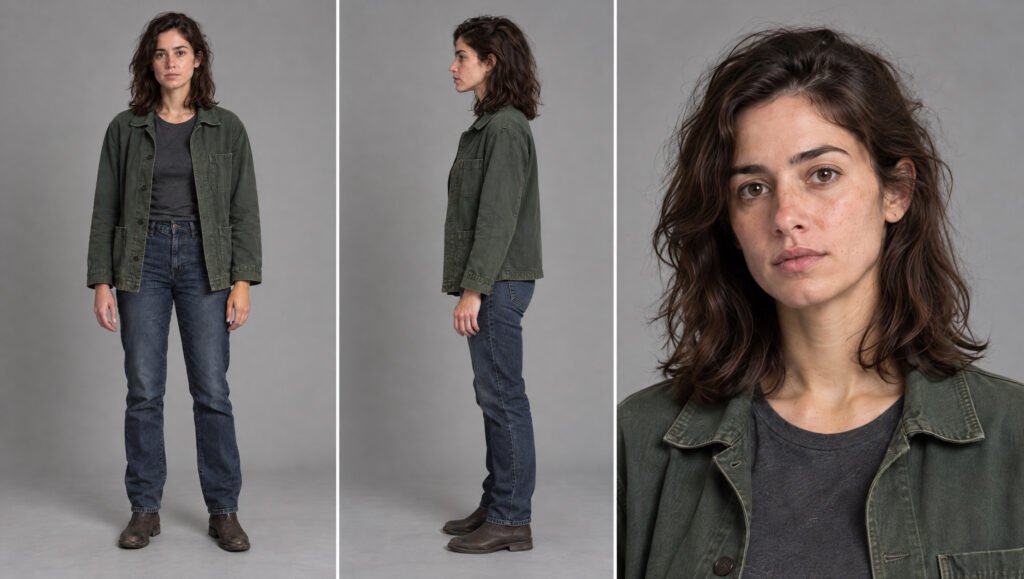
Next, I created another reference image containing the character’s complete body and face.
This is especially useful because the second scene requires full-body movement and interaction with clothing.
Three-Panel Prompt
Use the master character image and six-angle facial reference together.
Create a photorealistic 3-panel character sheet of the EXACT SAME woman from the attached references.
The master image is the authoritative source for body proportions, outfit and identity. The six-angle facial sheet defines facial identity and head structure.
Output: One 16:9 landscape image with three vertical panels.
Panel 1: Full-body front view. Natural standing posture with head, hands and boots fully visible.
Panel 2: Full-body left-side profile. Preserve exact body proportions, posture and clothing fit.
Panel 3: Chest-up facial close-up showing her exact identity, natural expression and facial details.
Preserve her original face, age, eyes, brows, nose, lips, jawline, skin, freckles, hairline, hair texture and under-eye details.
Preserve her shoulder width, waist, hips, torso-to-leg ratio, hand scale and overall stance.
Keep the exact original outfit: faded forest-green jacket, charcoal-grey T-shirt, dark indigo jeans and worn brown ankle boots.
Neutral grey studio background with even soft lighting.
Natural skin texture, accurate anatomy and realistic fabrics.
No beautification, outfit changes, extra props, additional people, cropped body parts, text or duplicate limbs.
The result must resemble a clean professional production reference.
Step 4: Generate the Scandinavian Apartment
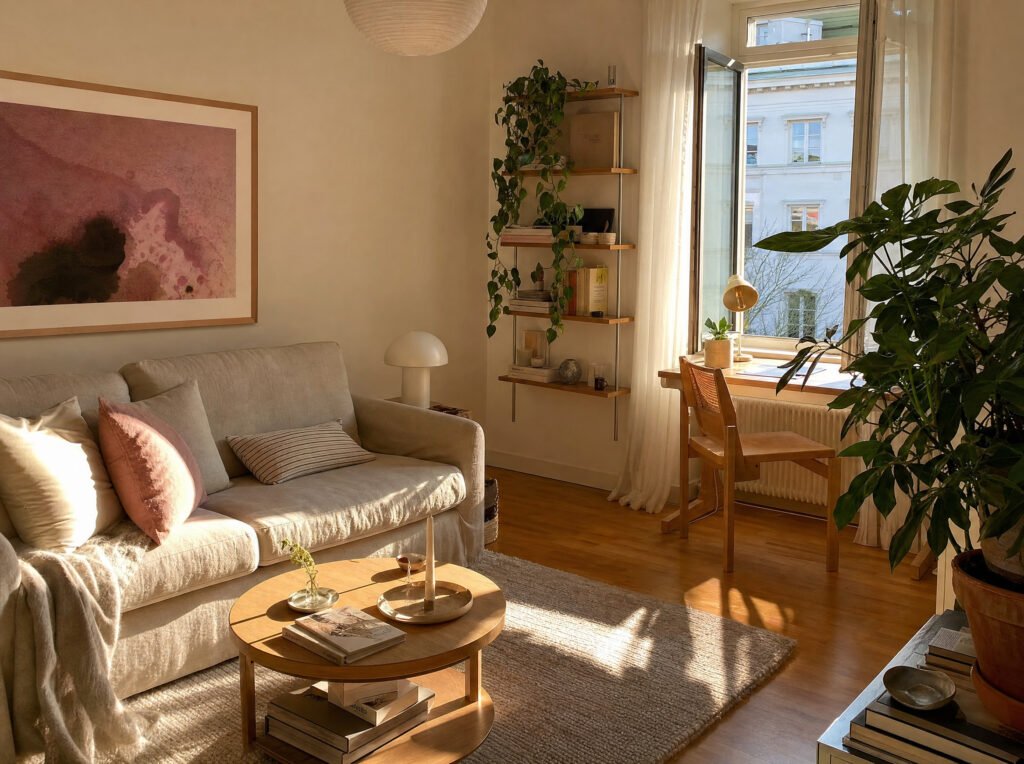
The next part is the environment.
I wanted the apartment to feel lived in, with warm sunlight, simple furniture and enough recognizable details to remain visually consistent.
Rather than letting the video model invent a new apartment for every shot, I created one location reference.
Living Room Prompt
Photorealistic warm Scandinavian living room, beige linen sofa, round oak coffee table, honey parquet floor, cream walls, blush abstract art, small desk by a tall open window, sheer curtains, lush houseplants, books and soft neutral decor, strong golden-hour sunlight casting long natural shadows across the floor, cozy lived-in apartment, realistic iPhone/interior photography, 4:3.
Why I Used a Separate Room Reference
This is one of the easiest ways to improve the visual continuity of AI-generated scenes.
Without an environment reference, the model might change the sofa, move the window or introduce furniture that wasn’t present in the previous shot.
For this project, the apartment acts like a real film location.
Once the environment is approved, I use the same visual reference for both video scenes.
Step 5: Make the First Realistic AI Video in Seedance 2.5
Now we can move into Higgsfield AI and generate the first scene using Seedance 2.5.
The opening shot needs to feel like an ordinary front-facing smartphone recording.
She walks from her hallway into a sunlit living room while talking directly to the camera.
The tricky part is keeping the camera movement believable.
A real smartphone doesn’t float independently of the person holding it. It moves with their steps, wrist adjustments and changes in posture.
Scene 1: Walking Selfie Prompt
Use the facial reference, body reference and apartment image together.
Scene: Create a photorealistic continuous smartphone selfie video of the referenced woman walking from her apartment hallway into her sunlit living room.
References: Preserve her exact face, skin texture, freckles, jawline, dark shoulder-length hair, body proportions, forest-green jacket, charcoal T-shirt and jeans. Match the approved Scandinavian apartment.
Camera: Continuous handheld front-facing smartphone recording, approximately 50 cm from her face, slightly above chest height. Natural 26mm perspective, subtle walking shake, slight wrist adjustments and imperfect framing.
The camera moves with her body, never independently. No cuts, sudden repositioning or camera-angle changes.
Lighting: Warm indoor hallway lighting with her face clearly visible from the first frame.
As she enters the living room, natural golden-hour sunlight gradually illuminates her face.
The smartphone exposure adapts smoothly. Preserve skin details and bright window information without blown highlights or crushed shadows.
Action: She walks slowly through the hallway while talking, glances toward the doorway, enters the living room, gently tucks loose hair behind one ear, then stops near the sofa and finishes her sentence.
Performance: Natural blinking, realistic eye movement, relaxed shoulders, subtle facial expressions and conversational lip synchronization.
Hair physics: Small hair movements follow her footsteps and head movement. Hair strands respond naturally when touched and settle under gravity.
Dialogue:
“I don’t know if I should say this, but the thing that scares me about 2026 is that nobody can tell I’m not real.”
Include a small hesitation after “say this.” The last words should be spoken more quietly.
Audio: Realistic smartphone microphone sound, footsteps, subtle clothing movement and room ambience. No music.
Continuity: Same woman, outfit and apartment throughout. No additional people, face changes, teleporting, warped hands or changing furniture.
Style: Authentic unretouched smartphone footage. Natural skin pores, understated performance, imperfect handheld movement and realistic exposure.
Not a cinematic commercial, not a montage, and not beauty-filtered AI footage.
16:9, 1080p, natural real-time movement.
Important: My original scene prompt requested 9 seconds but described actions extending to 15 seconds. If generating a nine-second clip, shorten the action sequence to fit the selected duration.
Step 6: Generate the Outfit Presentation Scene
This is where the workflow gets more interesting.
The second scene isn’t about walking or talking. It’s about interacting with physical objects.
She picks up a burgundy knit top, holds it against her body, places it down and then picks up a pair of beige trousers.
That sounds simple until you try generating it.
Fabric can morph, sleeves can disappear and hands can pass through clothing.
So I wrote the prompt around realistic human movement and fabric construction.
Scene 2: Realistic Outfit Presentation Prompt
Scene: Create a 15-second photorealistic smartphone vlog featuring the exact same woman in her apartment.
She has finished recording her selfie introduction. Her smartphone is resting on a stable surface while she stands a few steps away and shows two clothing options.
References: Preserve her exact face, dark wavy shoulder-length hair, brown eyes, freckles, body proportions, original outfit and approved living room.
Camera: One stationary horizontal smartphone camera, approximately three meters from the woman at waist-to-chest height.
Natural 26mm perspective. Full-body framing with hands, clothes and shoes visible.
No movement, zooms, reframing or cuts.
Lighting: Soft late-afternoon daylight from the right-side window, warm indirect room illumination, natural skin tones and realistic shadows.
Clothing: Exactly two garments visible on the sofa from the beginning.
- Muted burgundy ribbed cotton knit top with a round neckline, two sleeves, realistic seams and natural fabric weight.
- Light beige straight-leg trousers with a waistband, front closure and two independent trouser legs.
Action, 00:00 to 00:03: She glances at the camera, looks toward the burgundy top, bends slightly and lifts it by both shoulder seams.
00:03 to 00:06: She holds the top against her torso. Both sleeves hang naturally. She gives the camera a small uncertain smile.
00:06 to 00:08: She lowers the top onto the sofa and releases it after the fabric touches the cushion.
00:08 to 00:11: She picks up the beige trousers by the waistband. Both trouser legs unfold independently under gravity.
00:11 to 00:13: She holds the trousers against her waist, checks their length and glances toward the camera.
00:13 to 00:15: She lowers them slightly and gives a relaxed half-smile, raising her eyebrows as though asking for an opinion.
Dialogue:
“Okay, I think this top might work… maybe with these trousers? What do you think?”
Physical realism: Natural weight shifts, believable finger placement, correct hand-to-fabric contact, realistic cotton weight and gravity.
The top must retain one neckline, one torso and two sleeves. The trousers must retain one waistband and two independent legs.
No fabric morphing, floating sleeves, duplicated garments or hands passing through clothing.
Facial performance: Natural blinking, subtle expression changes, relaxed jaw movements and eye contact alternating between the garments and camera.
Hair: Preserve its original texture, length and dark chestnut color. Hair responds naturally to bending and turning.
Audio: Natural smartphone dialogue, subtle fabric movement, breathing and apartment ambience. No music.
Continuity: One woman, one stationary camera, one apartment and two clothing items. Her original green jacket and jeans stay on throughout.
No outfit transformations, cuts, extra people, subtitles or changing furniture.
Final style: Casual everyday smartphone footage with imperfect human behavior, realistic fabric interaction and natural pacing.
15 seconds, 16:9, one continuous take.
Why These AI Videos Look More Realistic
The biggest difference between a believable AI vlog and a generic AI-generated clip isn’t necessarily the amount of detail.
It’s where that detail is placed.
For this project, I focused on five things:
1. A consistent character: One approved master identity, supported by multiple facial and body references.
2. Natural camera movement: The selfie camera moves with the person holding it rather than floating independently.
3. Real lighting behavior: Her face stays visible as she moves from a darker hallway into a bright room.
4. Believable physical interaction: The clothing has weight, sleeves remain connected and her hands make realistic contact with the garments.
5. Understated performance: She’s not constantly smiling or moving dramatically. Her gestures feel like everyday behavior.
These are the details that help make AI videos look real.
Can Seedance 2.5 Keep an AI Character Consistent?
Reference images can help guide character consistency, but they don’t guarantee identical results.
For scenes containing facial turns, moving hands and interactions with physical objects, I prefer using multiple complementary references.
A master portrait establishes the identity. The six-angle sheet provides additional facial information. The three-panel sheet establishes the body and clothing. The environment reference helps keep the location recognizable.
The result is a more controlled workflow than generating every shot from a short text prompt.
How to Make Realistic AI Videos Without Overcomplicating It
You don’t need to create twenty different reference images.
Start with one original character, generate the angles that matter, and keep the environment consistent.
Then create individual video scenes rather than trying to fit every possible action into one long generation.
If something looks wrong, identify the actual issue before rewriting everything.
When the face changes, review the identity references. When the camera floats, tighten the camera rules. When objects deform, simplify the physical action and give the model clearer continuity instructions.
That approach is more useful than endlessly adding descriptive adjectives.
Frequently Asked Questions
How do you make a realistic AI influencer vlog?
Start by generating a consistent AI character, then create facial and body reference sheets. Build an environment reference and use those images with a video generation model such as Seedance 2.5. Give each scene a clear action, camera setup, lighting description and continuity rules.
Is Higgsfield AI good for realistic AI videos?
Higgsfield provides access to AI video generation workflows, including supported Seedance models. The results depend on the selected model, the reference images, the scene’s complexity and the prompt.
How do you keep the same AI face across multiple videos?
Use one authoritative master image and generate supplementary reference angles. Reuse the same references across scenes and avoid contradictory descriptions of the character.
Why do AI videos sometimes look fake?
Common problems include facial drift, unnatural hand movement, inconsistent objects, unrealistic camera motion, overprocessed skin and changing lighting.
Can I create an AI influencer without filming myself?
Yes. You can create an original synthetic character, develop consistent visual references and generate videos without recording a human performer. Clearly labeling synthetic content is important when sharing it publicly.
Final Thoughts
This project started with one original character image.
From there, I created her facial reference sheet, full-body reference, Scandinavian apartment and two separate scenes.
The most useful lesson is that realism comes from continuity.
Small details like how sunlight falls across the face, how clothing folds, and how a smartphone moves with someone’s hand can make an ordinary AI-generated scene feel much more believable.
If you’re experimenting with realistic AI videos, Higgsfield AI or Seedance 2.5, try this workflow with your own original character.
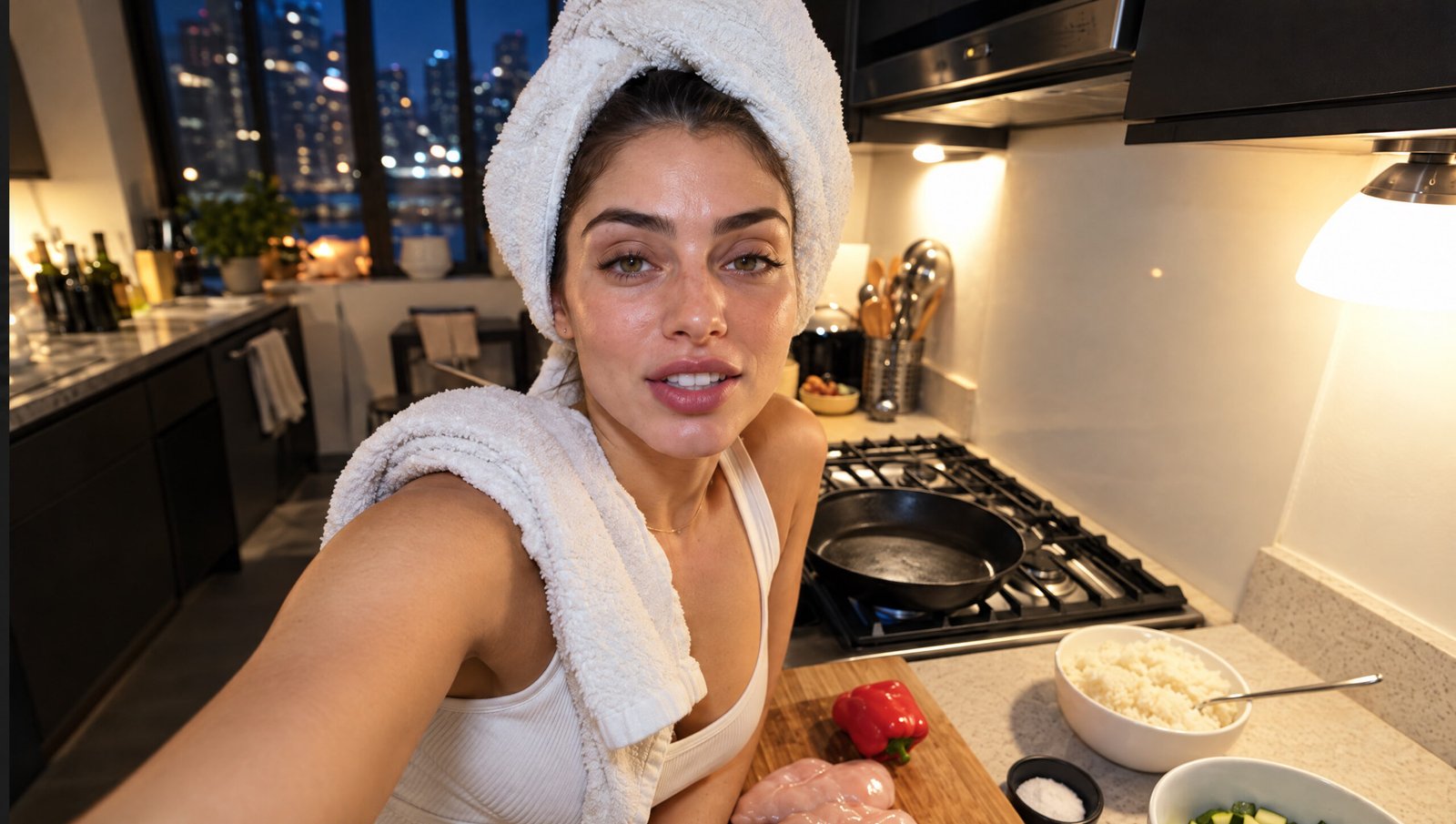
For another example, check out our realistic AI cooking vlog tutorial, which uses a similar reference-driven workflow for a late-night cooking scene.
That’s it. Subscribe for more prompts, AI character workflows and video experiments from TheByteLab.