
I switched between Safari and Chrome about a dozen times over the past year. Not because I was indecisive, but because I kept second-guessing myself. Safari felt snappier on my Mac but Chrome had everything I needed extension-wise. Chrome felt more powerful but started dragging after a few hours. Sound familiar?
The safari vs chrome performance debate isn’t really about which one is technically superior on paper. It’s about which one holds up in real-world usage, for your specific workflows, on your specific machine. That’s what this post is about. No fluff, just what I’ve actually observed when pushing both browsers through daily use.
By the end of this, you’ll have a clear answer on speed, memory, battery, and which one makes more sense for your setup.
These two browsers approach performance from very different starting points. Chrome is built on the Blink rendering engine and V8 JavaScript engine. Safari runs on WebKit, Apple’s own engine that’s been deeply optimized for Apple hardware. That difference in foundation matters more than most people realize.
In testing, Safari consistently loads pages faster on Apple Silicon Macs. The reason isn’t magic, it’s that WebKit is tuned specifically for Apple’s chips. Safari can take advantage of hardware-level optimizations that Chrome simply can’t access the same way.
Chrome isn’t slow by any measure. On an M-series Mac, it loads most pages quickly. But side-by-side, Safari tends to render pages a bit cleaner and with less visual jank on first load. You’ll notice it most on media-heavy pages and news sites.
That said, Chrome tends to have better compatibility with certain web apps and interactive tools. Some pages just behave better in Chrome, and that’s a real tradeoff you have to weigh.
Safari opens faster. That’s consistent and noticeable. From clicking the dock icon to a usable browser, Safari gets there quicker.
Tab switching is close, but Chrome gets heavier the more tabs you have open. After 20 or more tabs, you’ll feel the delay when switching between them. Safari holds up better for heavy tab users, at least until memory pressure kicks in on lower-RAM machines. Check out our browser performance and speed tests for a deeper look at how both handle high tab counts.
This is the question most people are actually asking. Short answer: yes, for most everyday tasks on a Mac, Safari is faster. But the longer answer is more useful.
On M1, M2, M3, and M4 chips, Safari has a real performance advantage. Apple built Safari to run efficiently on its own architecture, so the browser uses the processor in a way Chrome can’t fully replicate. JavaScript execution, rendering, and even smooth scrolling all feel more native.
If you’re on a MacBook Pro or MacBook Air with an M-series chip and your main activities are browsing, research, or media consumption, Safari is going to feel faster and more responsive. It’s not a huge gap, but it’s consistent enough to notice after a few days of switching.
Chrome wins on web app compatibility and extension depth. If you’re using tools like Figma, Notion, or anything Google-built, Chrome is usually the better experience. Some web apps are tested on Chrome first, Safari second, and it shows.
Chrome’s DevTools are also significantly more advanced if you’re doing any kind of frontend work or performance testing in the browser. Safari’s Web Inspector has improved a lot, but Chrome DevTools still set the standard here.
This is where Chrome gets its reputation. And honestly, the reputation is earned.
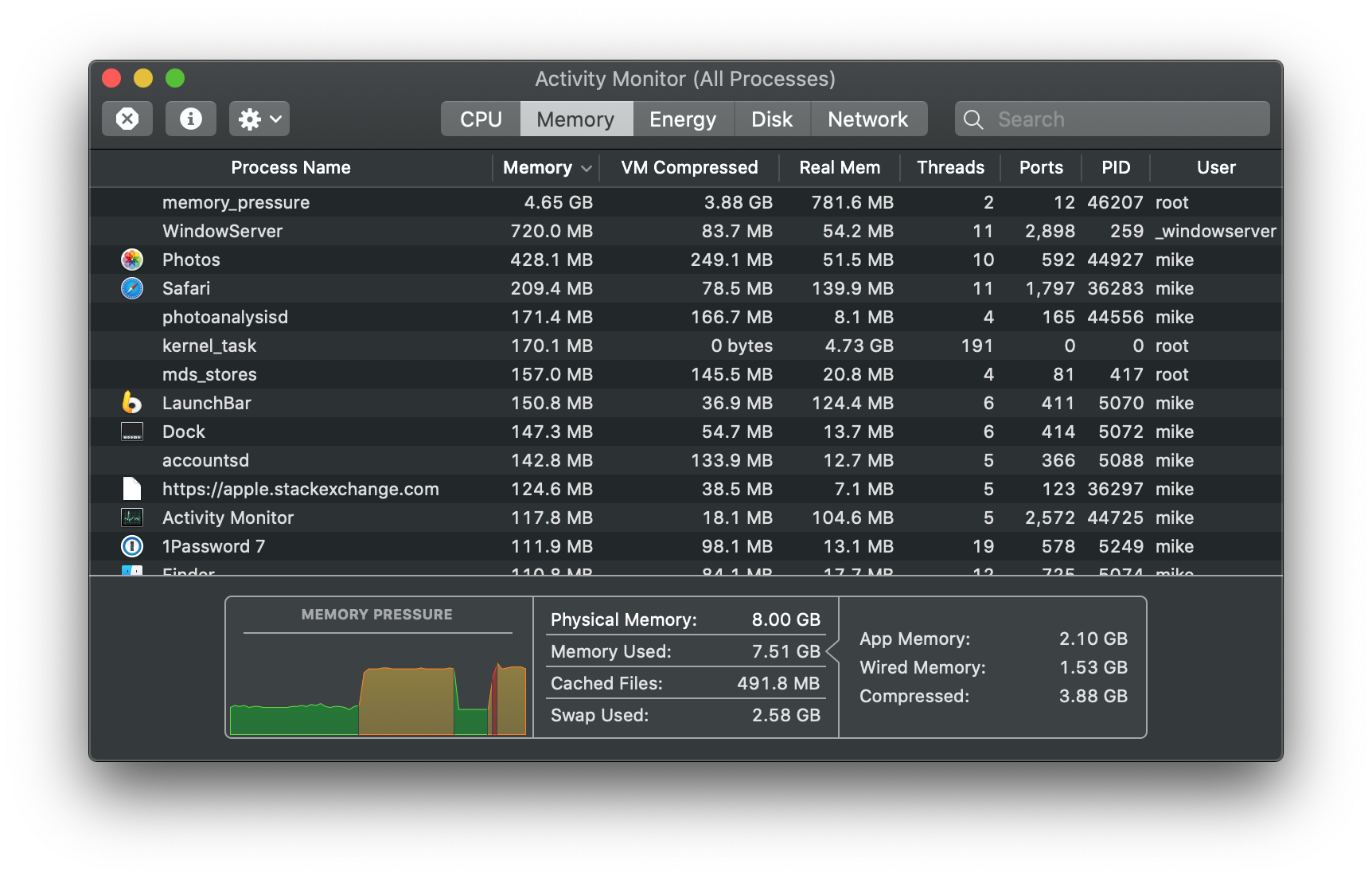
Chrome is a memory-heavy browser. Each tab runs in its own process, which improves stability (one crashing tab doesn’t take down the rest) but it also means RAM usage scales quickly. With 10 or more tabs open, Chrome can hit 4-6GB of RAM on its own. Add a few heavy web apps and you’ll see your system under genuine pressure.
On a Mac with 8GB of unified memory, this actually matters. You start to feel it when you’re also running Figma, Slack, and a few other apps alongside Chrome. The system gets sluggish in a way that’s hard to pin on any one thing until you close Chrome and everything breathes again.
Safari is more conservative with memory. It’s not that it’s perfect, it can still eat RAM when you push it hard, but it tends to use less overall and it releases memory more aggressively when you’re not actively using certain tabs.
For users doing creative or development workflows on Macs, this matters. Less memory pressure means more headroom for the tools you actually need. If you’re running into performance issues with Chrome on Mac, our Mac fixes and optimization guide covers some practical steps for managing browser memory.
If you use a laptop unplugged regularly, this section might be the most important one.
Safari wins battery efficiency by a noticeable margin on MacBooks. Apple optimizes Safari to work with the power management systems built into macOS, and the difference shows up in real use. Running Safari vs Chrome for a typical workday (browsing, email, light research, video calls), you can see anywhere from 1 to 2 hours difference in battery life depending on the machine and workload.
Chrome runs more background processes and uses more CPU, which translates directly to faster battery drain. It’s not like Chrome kills your battery in an hour, but over an 8-hour day, the gap accumulates.
It depends on your setup. If you’re at a desk with your MacBook plugged in most of the time, battery efficiency isn’t a major factor and Chrome is a completely reasonable daily driver. If you’re working unplugged for long stretches, commuting, or working from spaces without easy access to outlets, the battery advantage of Safari is actually meaningful. It’s the kind of thing you only notice once you make the switch and realize you’re not scrambling for a charger as often.
This one has a pretty clear answer, and it’s not what most Chrome fans expect.
On iPhone and iPad, Apple requires all browsers, including Chrome, to use the WebKit engine. So Chrome on iOS is essentially a different product from Chrome on desktop. It uses the same rendering engine as Safari, just with Chrome’s UI and features on top.
This means the raw page rendering speed between Safari and Chrome on iPhone is basically identical at the engine level. Any speed differences you feel come from UI, tab management, and features, not from the underlying browser engine.
Safari tends to feel snappier on iOS because it has lower-level access to the system. It launches faster, switches tabs faster, and scrolls more smoothly in most cases. Chrome on iPhone is fine, but it doesn’t have the same native-feeling responsiveness.
For iPhone users who are deep in the Google ecosystem (Gmail, Google Docs, Google Calendar), Chrome’s integration makes it convenient. But if you’re just browsing, Safari is the better performer on iOS. No real debate there.
After spending time with both seriously, here’s where I landed.
You’re on an Apple Silicon Mac and battery life matters to you. You do a lot of general browsing, reading, or research. You’re already in the Apple ecosystem and use iCloud Keychain. You have 8GB of RAM and want to keep it available for your actual work apps.
Safari is also a good choice if you value the productivity workflows that come with tight macOS integration, like Handoff, where you can pick up browsing on your iPhone where you left off on your Mac.
You spend most of your time in Google’s tools. You need specific extensions that don’t exist on Safari. You do frontend development and want Chrome DevTools. You’re on Windows or use a cross-platform setup where you need your browser to work the same everywhere.
Chrome is also worth it if you work with web apps that haven’t been fully tested on Safari. The compatibility gap has narrowed over the years but it hasn’t closed completely. For a broader look at how Chrome compares to other browser options, our software comparisons page covers more ground.
Safari vs chrome performance comes down to what you prioritize. For most Mac users doing everyday tasks, Safari is faster, lighter, and better on battery. Chrome’s advantage is compatibility, extensions, and Google ecosystem depth.
I use Safari as my main browser and keep Chrome installed for specific tools. That setup has worked well. No single browser wins everything, and the smarter move is knowing when to use which one.
If you want to see how both browsers perform in actual speed tests with measured load times and memory benchmarks, head over to our browser performance tests for the numbers.